What Happens to the Deposit When an Owner Cancels

An owner cancels a boarding stay five days before it starts, and the Reservation Deposit is already paid. A kept portion shows up as a new invoice and as rows in the owner's Payment History.
For a boarding stay, the cancellation rules on the service decide how much comes back, unless the stay is still awaiting approval or staff override them.
The check-in post suggested telling owners what happens if they cancel. This is what Petsoft does when they do.
The policy sets the amount
A service with a Reservation Deposit but no cancellation rules refunds every cancellation in full. Set at least one rule.
You set the deposit and the rules on the service's edit page, for each rate period. The deposit is a fixed amount or a percentage of the estimated total. Each rule says that a stay canceled within a number of days of arrival is a given percent refundable. If more than one rule fits, the one with the fewest days wins, and beyond your furthest-out rule the deposit comes back in full. A stay that overlaps a holiday uses its own deposit and rules. To keep the whole deposit inside a window, set that rule to 0 percent.
The demo facility used here has two rules: 50 percent within seven days and 0 percent within two. A cancellation five days out refunds half, and one the day before refunds nothing. The Help Center page on deposit policies covers the setup steps.
What the owner sees
In the Pet Parent Portal, the red cancel icon on a reservation (its tooltip reads Cancel Stay) opens a page that states what the owner will get back. The stay is canceled only when they confirm there. The page reads differently depending on the policy: a full refund, no refund, a percentage with the dollar amount, or store credit when the original payment method is no longer active.
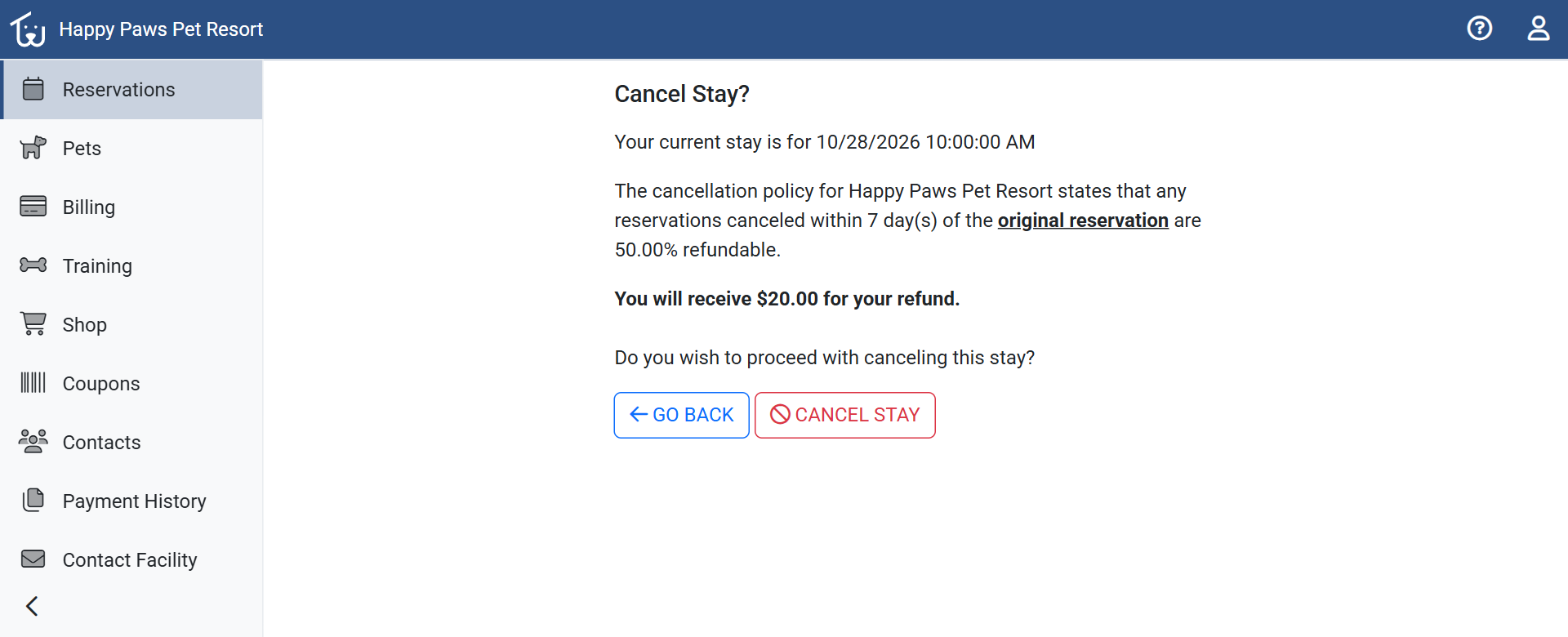 Five days out, under the demo facility's rules, $20.00 of the $40.00 deposit comes back.
A stay that shows Awaiting Confirmation to the owner (Pending Approval in the Office Portal) is refunded in full. Reservations made in the portal start there. The cancel icon works only on Awaiting Confirmation and Reserved stays. On any other stay it is grayed out, with a tooltip that says to call. The Help Center covers the owner's side under Pet Parent Portal reservations.
Staff can override one way
In the Office Portal, the red cancel button on the reservation opens a Deposit & Refund box with the deposit paid, the refundable amount, and the policy message. When the policy would keep any of the deposit, the page offers one override: a checkbox that refunds the full deposit and bypasses the policy. It needs the Grant Refunds permission. Without it the checkbox is locked, and a manager can authorize it by signing in with their own credentials. There is no field for a custom amount.
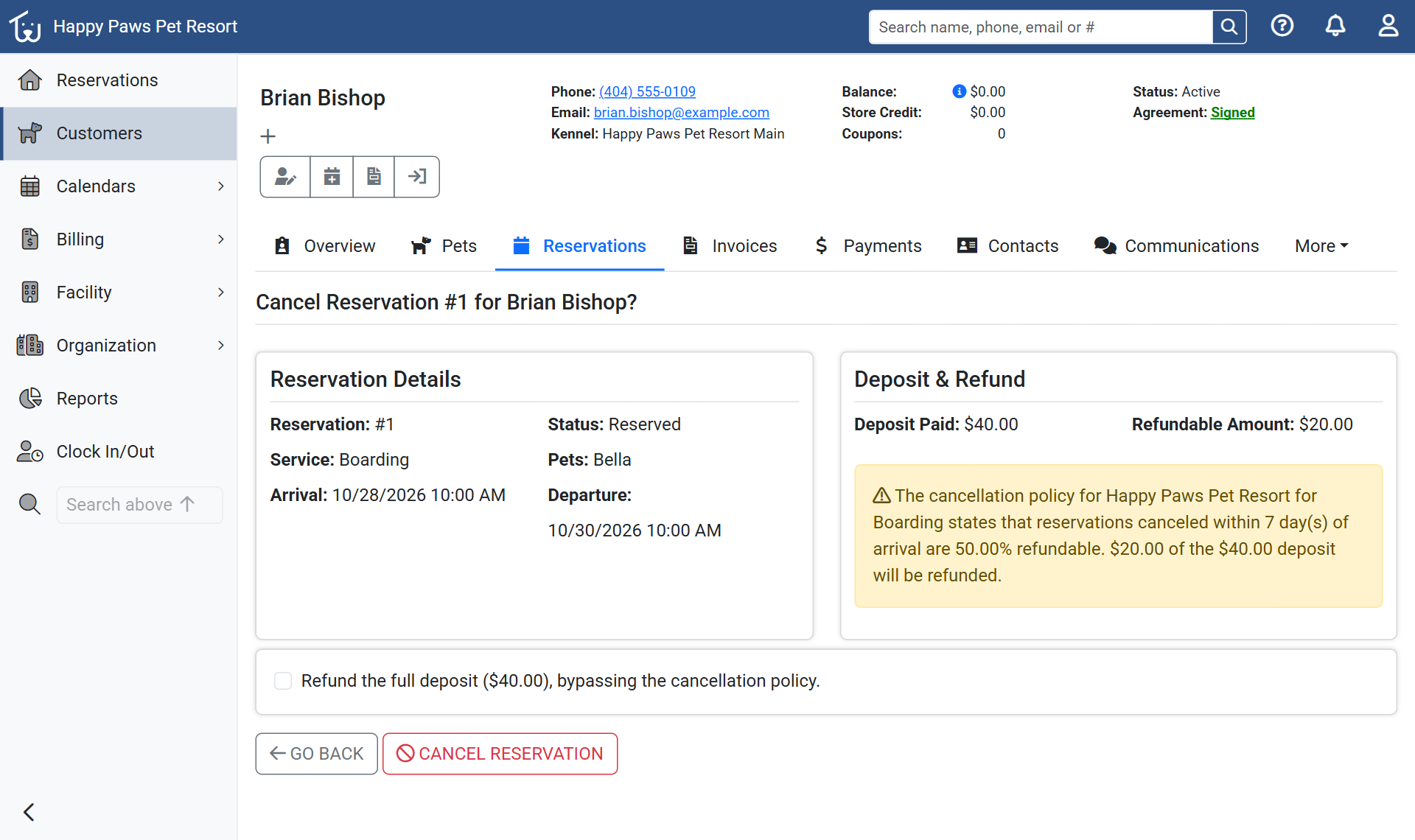 The staff Cancel page for the same stay, with the override checkbox below the Deposit & Refund box.
Whether your team or the owner cancels, Petsoft emails the owner, and texts them if they opted in and your facility has text messaging active, following their notification settings.
What the cancellation leaves behind
When part of the deposit is kept, Petsoft posts a new invoice for that amount with one line, "Partial payment using non-refundable deposit intended for Reservation 1". The deposit pays it, so nothing is due. With a 0 percent rule, the kept amount is captured on a line that reads "Capturing non-refundable deposit made for Reservation" followed by the number, if the stay has an open invoice to carry it. A card deposit is refunded to the card that paid it, or to store credit when that card can't be refunded. A deposit recorded from QuickBooks is left for you to refund there. If your team decides later to return the kept money, the kept-deposit invoice has its own Refund Invoice button, which also needs the Grant Refunds permission.
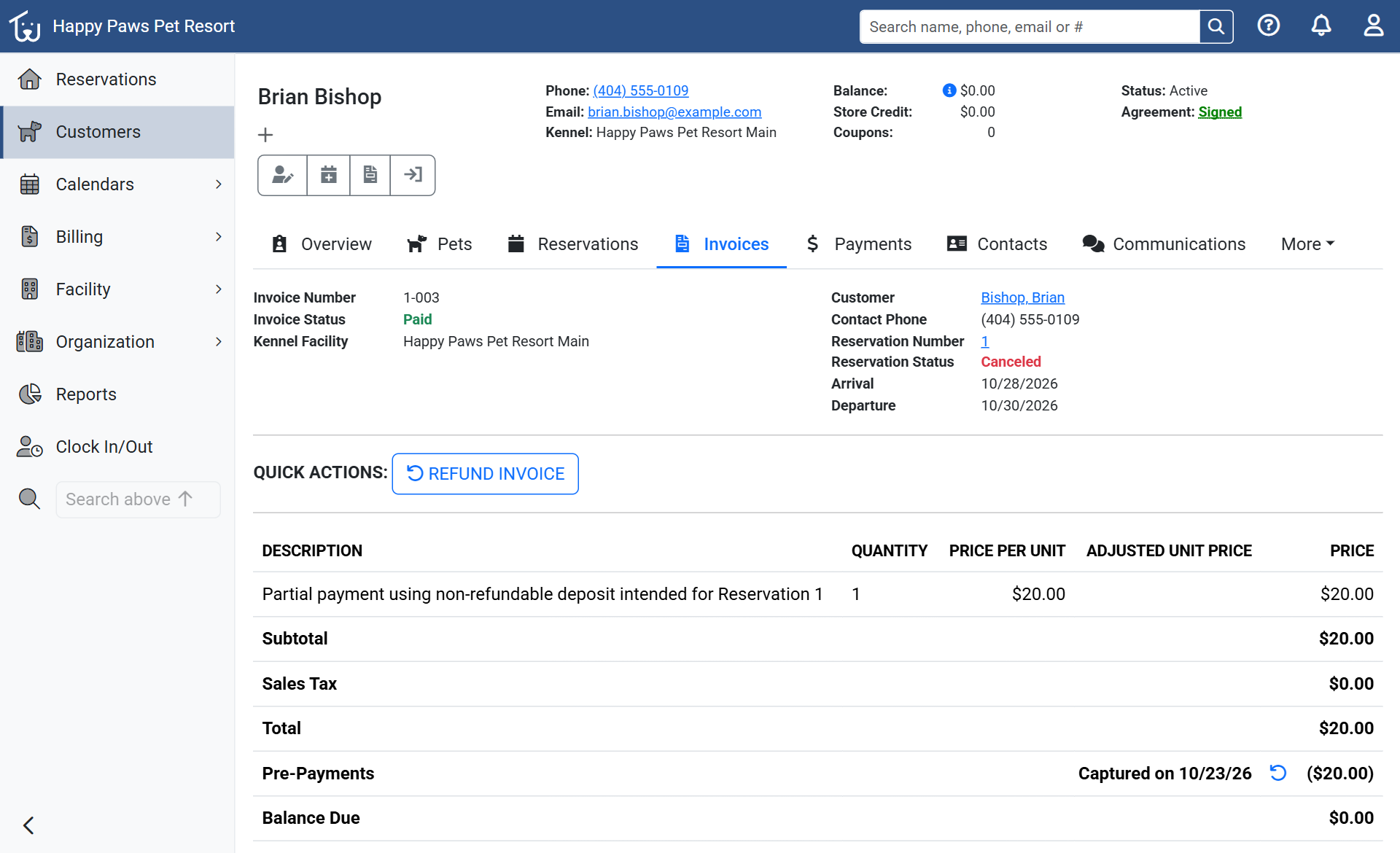 The invoice for the $20.00 that was kept, paid by the deposit.
The owner's Payment History in the portal records the same events. The three invoices at the top are the new one for the kept $20.00 (Paid), the original deposit invoice (Refunded), and the stay's own invoice (Canceled). In the table, Deposit Applied shows the deposit paying that new invoice, Reservation Canceled says $20.00 was retained as a non-refundable deposit, and Refund Issued shows the money that went back.
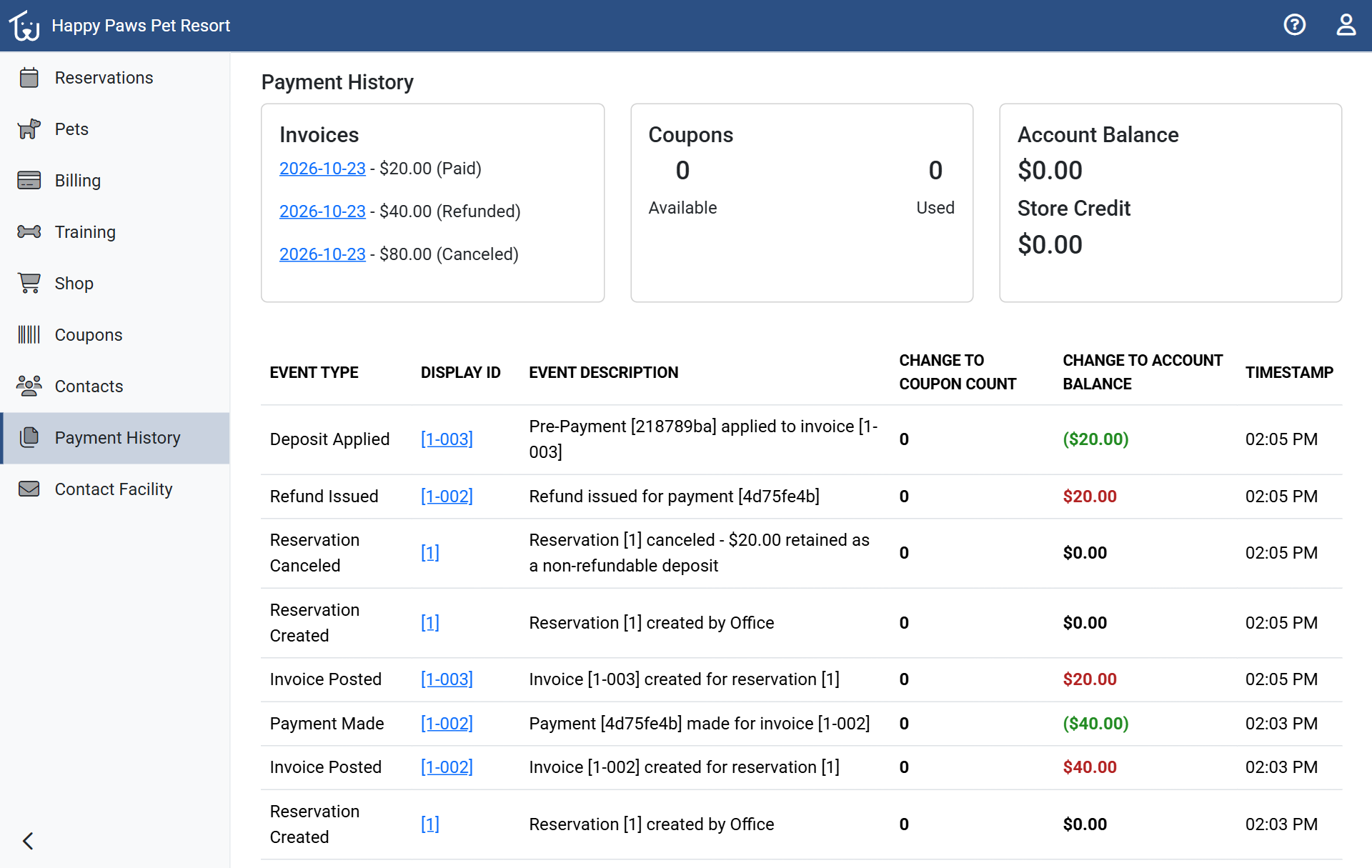 Payment History after the cancellation, newest rows first.
A no-show is a cancellation your team enters
Petsoft has no no-show status or fee today, and nothing is charged automatically. A Reserved stay whose arrival time has passed with no check-in stays Reserved until someone cancels it. The Canceled And No-Show Reservations report in Reports lists both kinds by arrival date, with Canceled or No-Show in its Reason column.
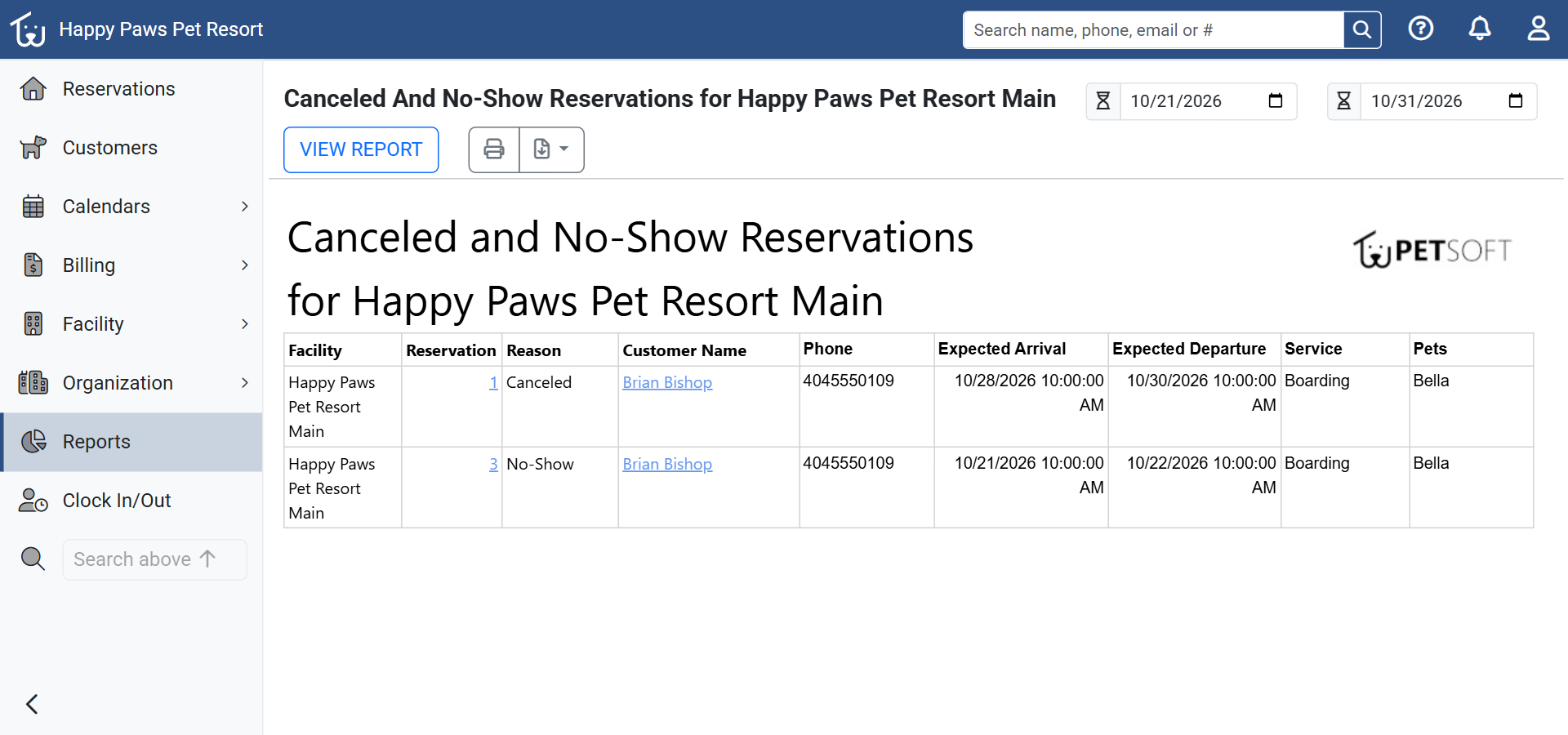 The report for the demo week: the stay canceled in this post, and a second stay that was never checked in.
Canceling the no-show applies your policy as a cancellation inside your closest window. With no rules set, the full deposit is refunded.