A Service Change Shouldn't Get Lost on the Way to the Invoice

On Tuesday afternoon an owner calls to add a grooming appointment before pickup and keep the dog one more night. Whoever picks up says yes and jots it down. By Friday the groomer never heard about it, the Kennel Card still shows the old pickup day, and the invoice has neither.
The change never got past the person who took the call.
Changes come through your team
In the Pet Parent Portal, owners can cancel and reserve again, but today they can't edit a reservation. Add-ons are offered while reserving online. Once the reservation exists, extending a stay, adding a grooming appointment, or turning a daycare day into an overnight is a request to your team. Canceling online follows your cancellation rules, so for a change it is simpler for the owner to call. Those requests arrive by phone, at the counter, or by email, and someone has to enter each one on the reservation.
Put it on the reservation
You can edit a reservation directly while it is Reserved, Pending Approval, or Checked-In. One still waiting on its deposit can't have services or products added yet. Add services, products, or house food. Extend a boarding stay with the itinerary buttons, or use Convert Service when a daycare visit becomes a night. If the owner brings medication at drop-off, add it on the same page. A change entered there shows up for everyone who opens the reservation.
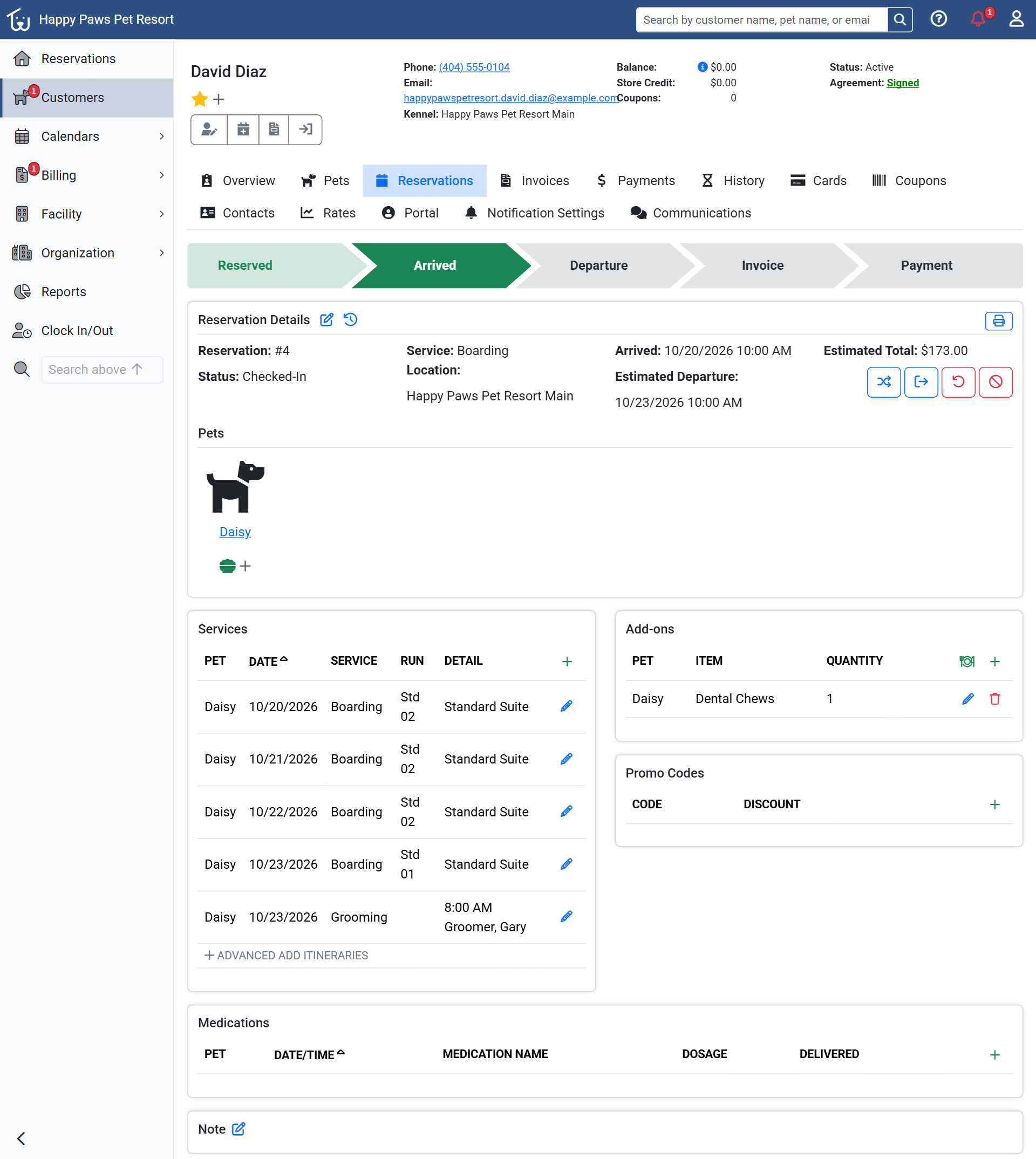 A checked-in stay after two changes. The departure moved to 10/23, a grooming appointment is on 10/23 at 8:00 AM, and a product sits under Add-ons. The estimated total is $173.00.
When you pick the groomer as you add the appointment, it appears in that groomer's column of the Service Calendar. Without one, it shows under Unassigned.
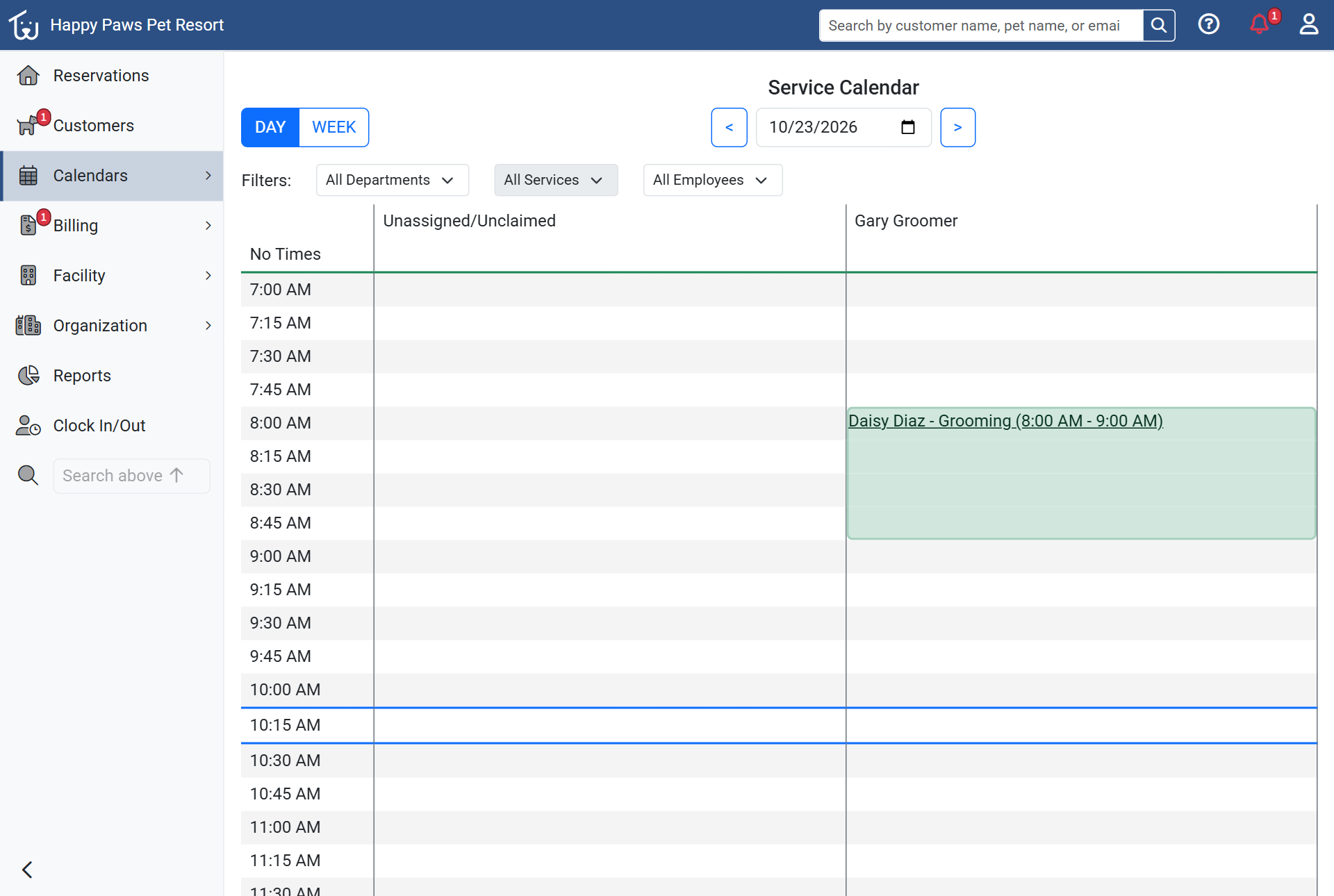 The same appointment on the Service Calendar.
The clock icon beside Reservation Details opens the change history. It tracks changes to the reservation record itself, such as its dates and status, with the username, the date, the previous value, and the new one. It settles "who moved the departure?" quickly. It is blunt: field names show in capitals, like RESERVATION_ESTIMATED_CHECK_OUT, and an added service appears on the reservation page, the calendar, and the invoice instead of in this list.
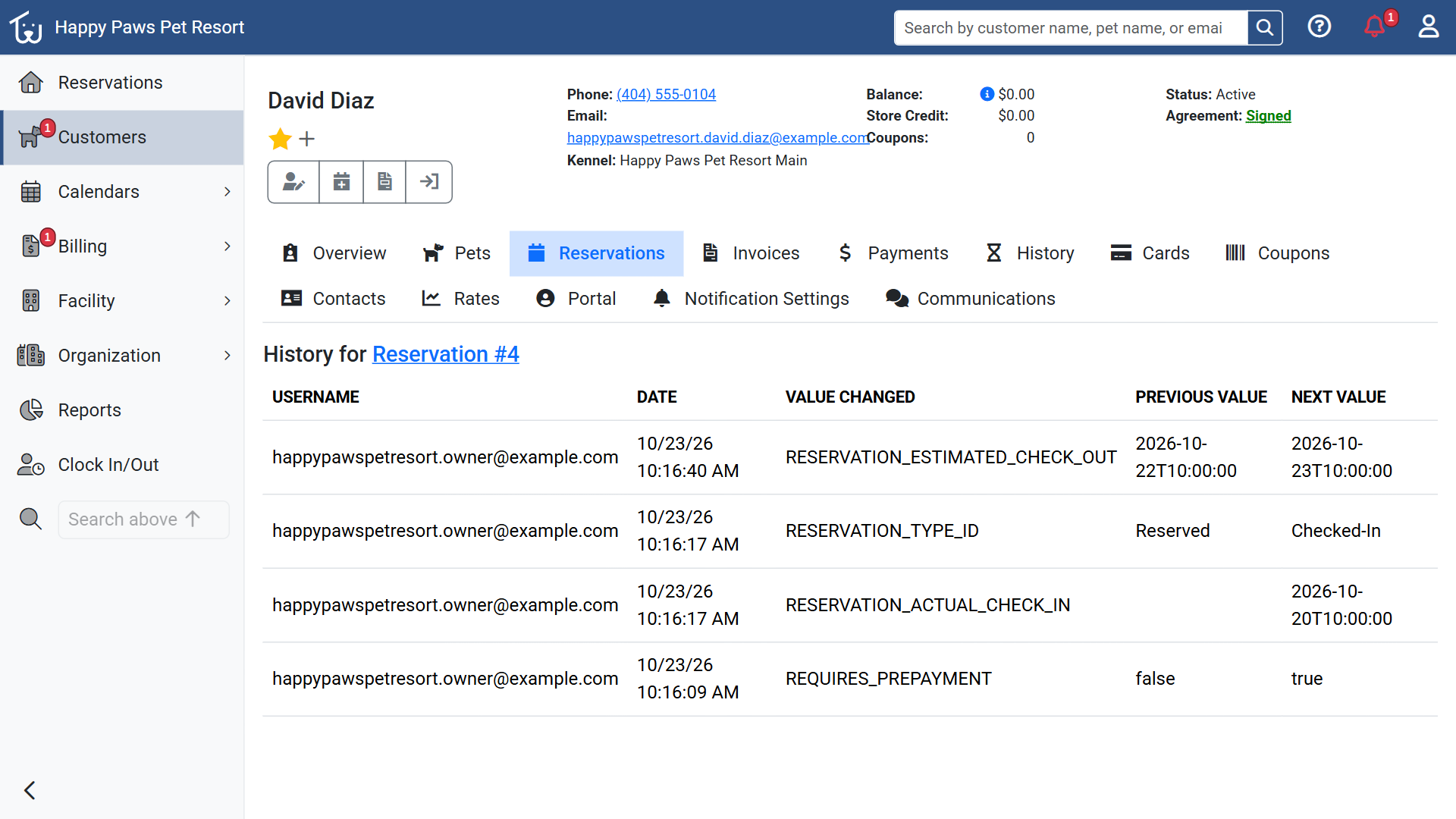 The history for the same stay. The newest row is the departure moving from 10/22 to 10/23, with who made the change and when.
A Kennel Card prints the pet's feeding instructions and allergies, the reservation's notes, and any pet notes marked for it (internal notes never print), but a card printed at 7 a.m. knows nothing about a 2 p.m. change. If your team works from printed cards, reprint the card or walk the change over.
At checkout
Checking a boarding stay out creates its invoice as a Pending draft. Services and products on the reservation come through as lines, and the invoice page notes any deposit that will be applied when you post it.
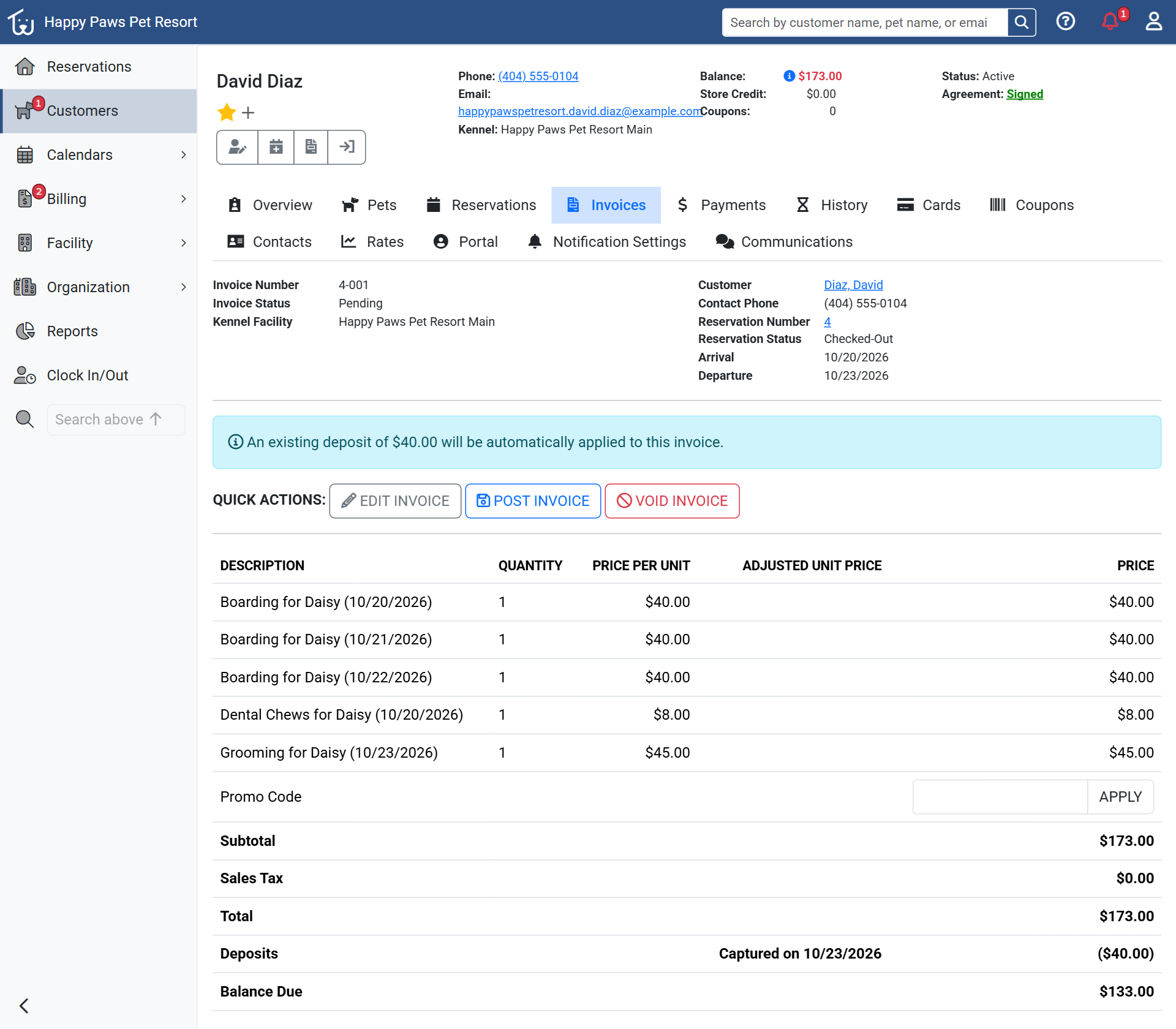 The Pending invoice created at check-out for the same stay. Three nights, a product, and the grooming appointment are lines, and the banner shows the $40.00 deposit that will be applied when the invoice is posted.
Pending is the only status where you can edit lines, so a draft is the time to read the invoice against the reservation. You can add a missing service or product, add an adjustment, change a quantity or price, or apply a promo code. Posting moves it to Open, and the customer then owes whatever the deposit doesn't cover. If a deposit is still waiting after you post, the invoice shows an Apply Deposit button. The Checked-Out Reservations tab on the Invoices page lists the drafts waiting to be posted, so you can go through it at the end of the day. If a mistake turns up after posting and nothing but the deposit has been paid, Modify Invoice voids the invoice and gives you a fresh draft to correct.
Partial payments are allowed. When the customer pays by card at an integrated terminal, Petsoft pre-fills the remaining balance and sends that amount to the terminal.
In the Pet Parent Portal, the owner sees the changes you make. After the extension and the grooming appointment, their reservation shows the new departure, the service, the product, and an Estimated Total, which becomes a Final Total once the stay is invoiced. You settle the balance with them at the counter. If you quoted "about forty-five dollars" for the grooming on Tuesday, give the new total before the call ends.
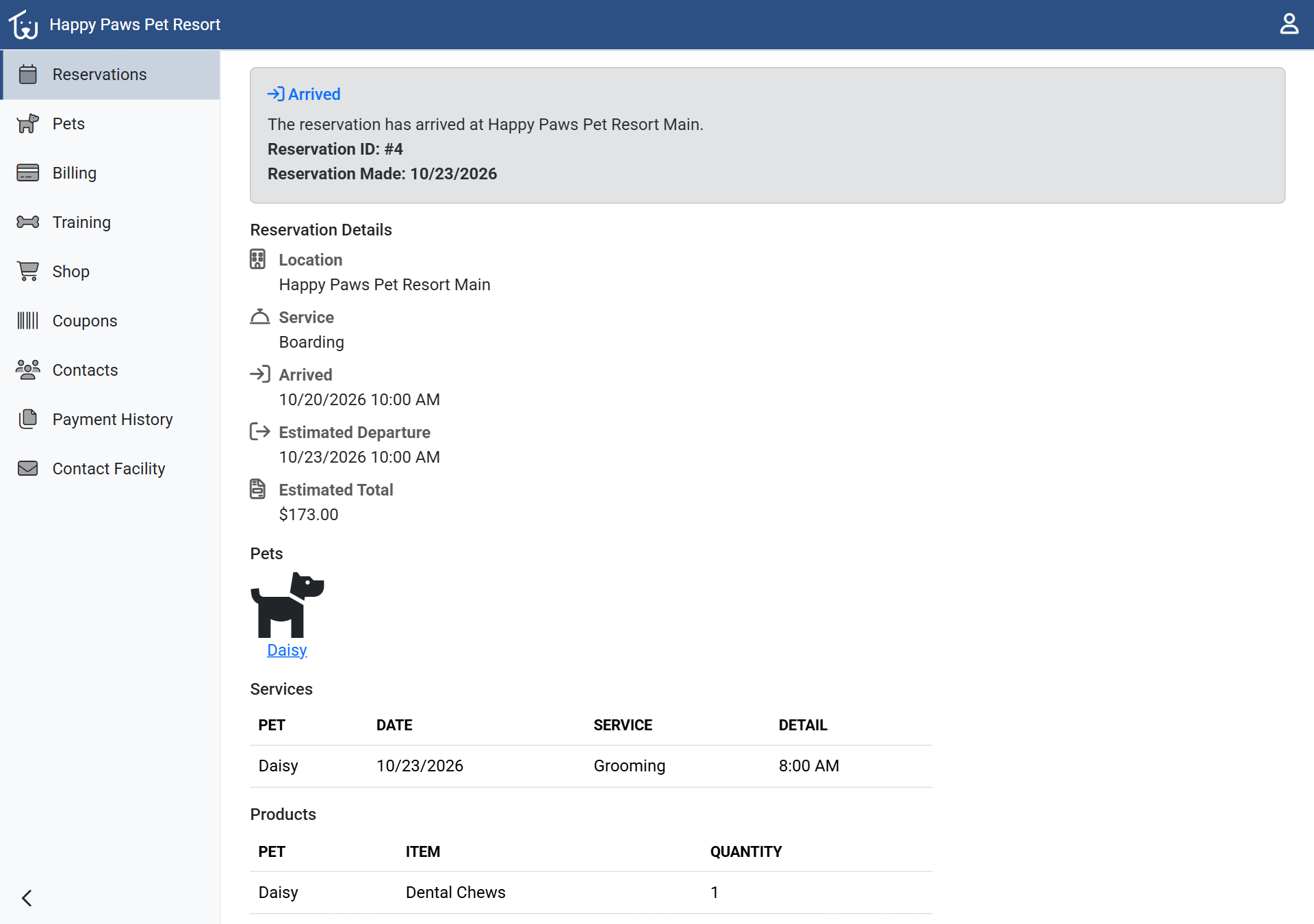 What the owner sees in the portal for the same stay: the new departure, the grooming appointment, the product, and an Estimated Total of $173.00.
Where do changes go missing at your facility? Tell us.
If you already use Petsoft, the Help Center pages on reservations and invoices and POS cover each step above.