Release 117
Released October 28, 2026
This release is about seeing more and doing less at the front desk: a month-wide Service Calendar, payment links pet parents can pay from their phone, a month of daycare reserved in one go, and a Free plan for the smallest facilities.
Highlights
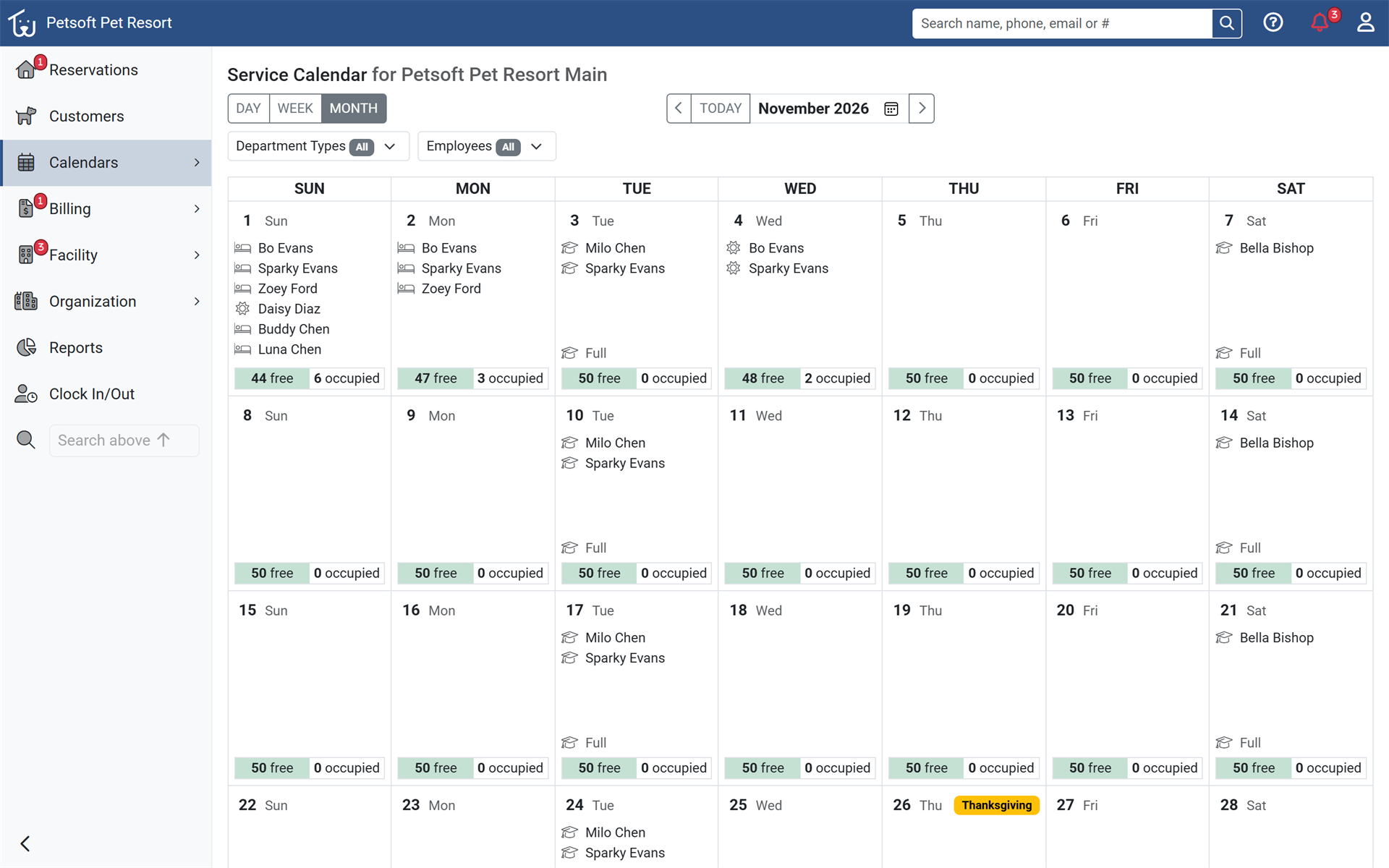
See the whole month on the Service Calendar
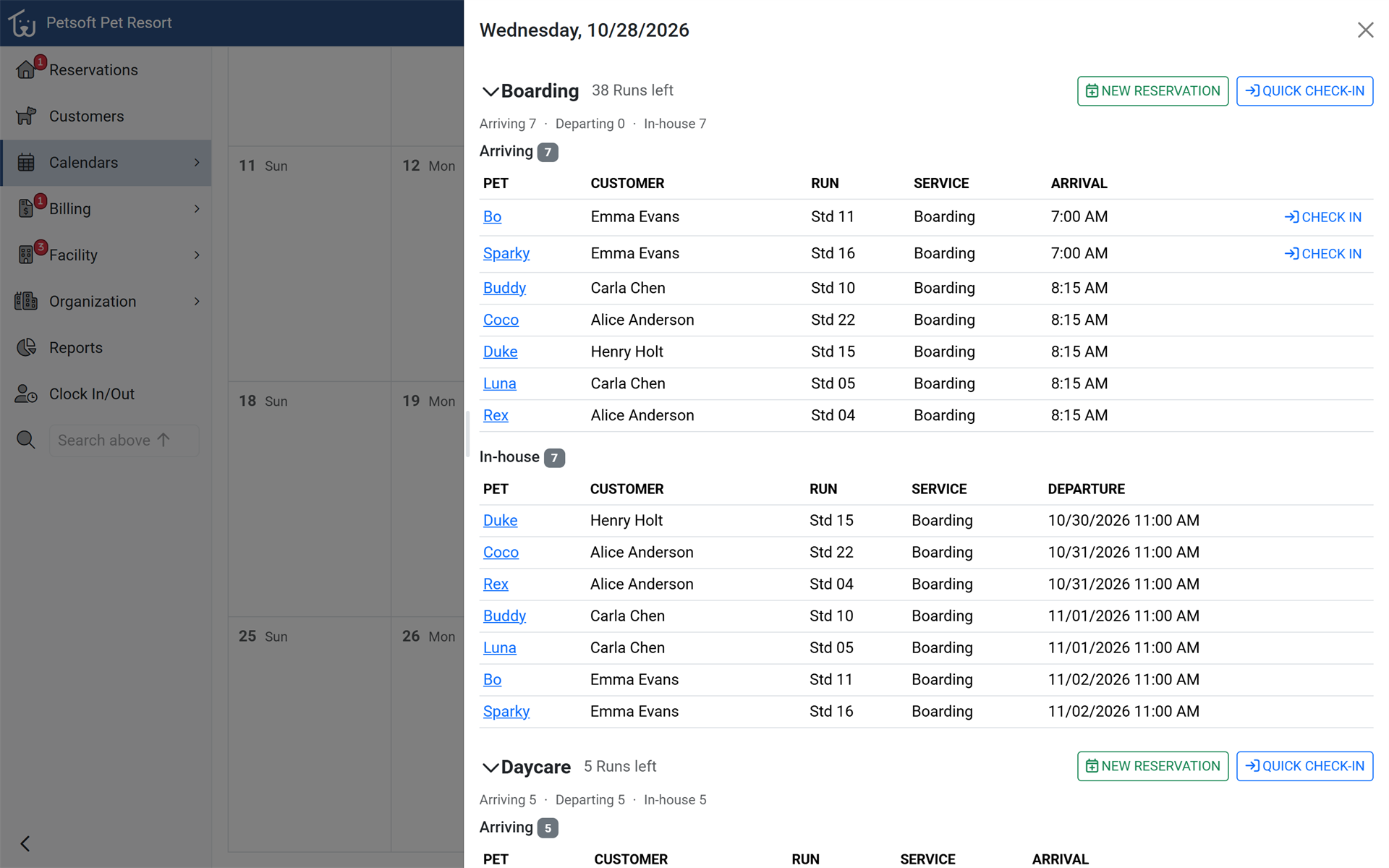
The Service Calendar now shows the whole month at a glance: each day's pets, open spaces, and open grooming and training slots. Click any day to see its hourly schedule, check in arriving pets, take a walk-in, or start a reservation for that date. Open Service Calendar and choose Month. Day and Week views also gain an all-day row and an employee filter.
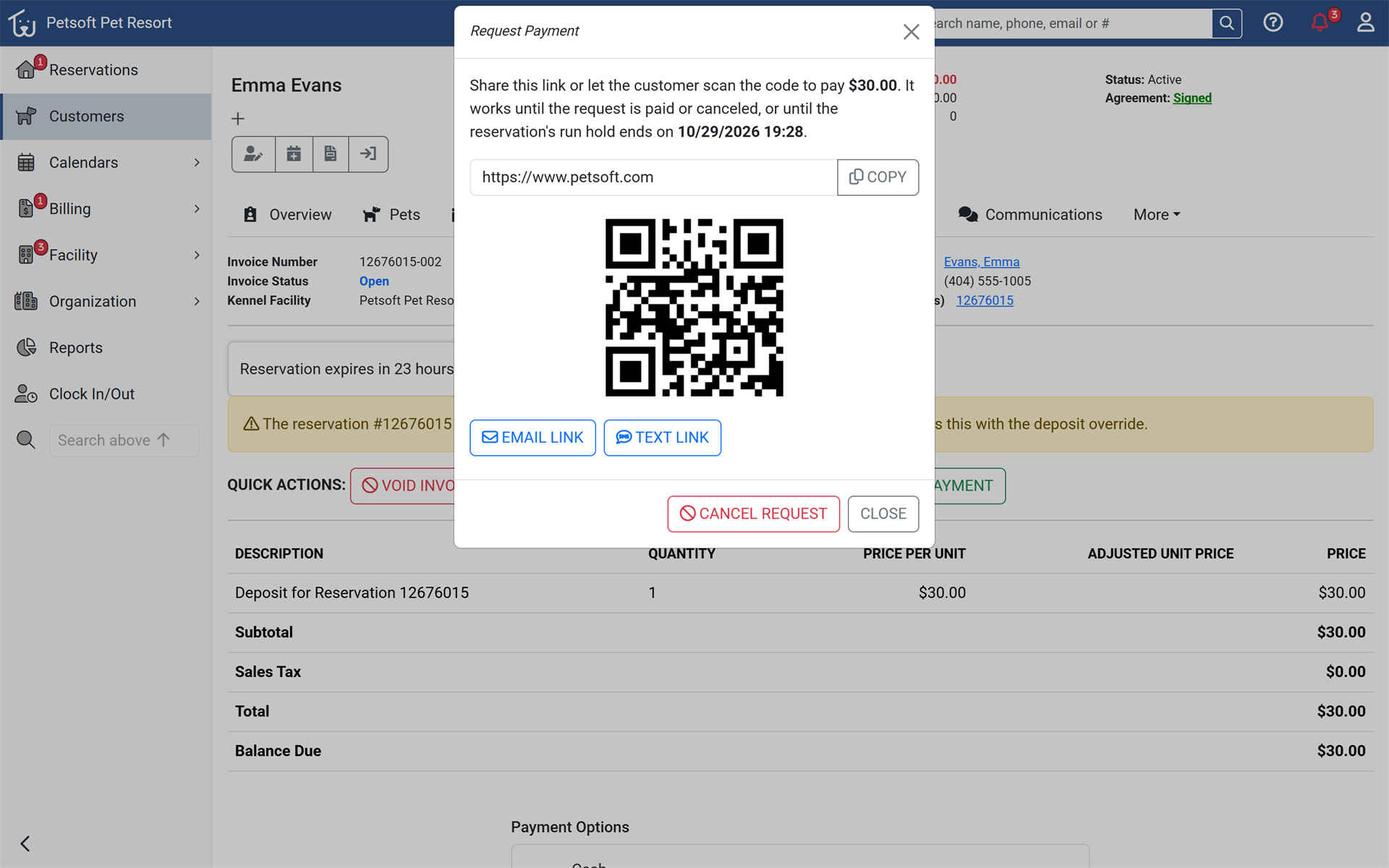
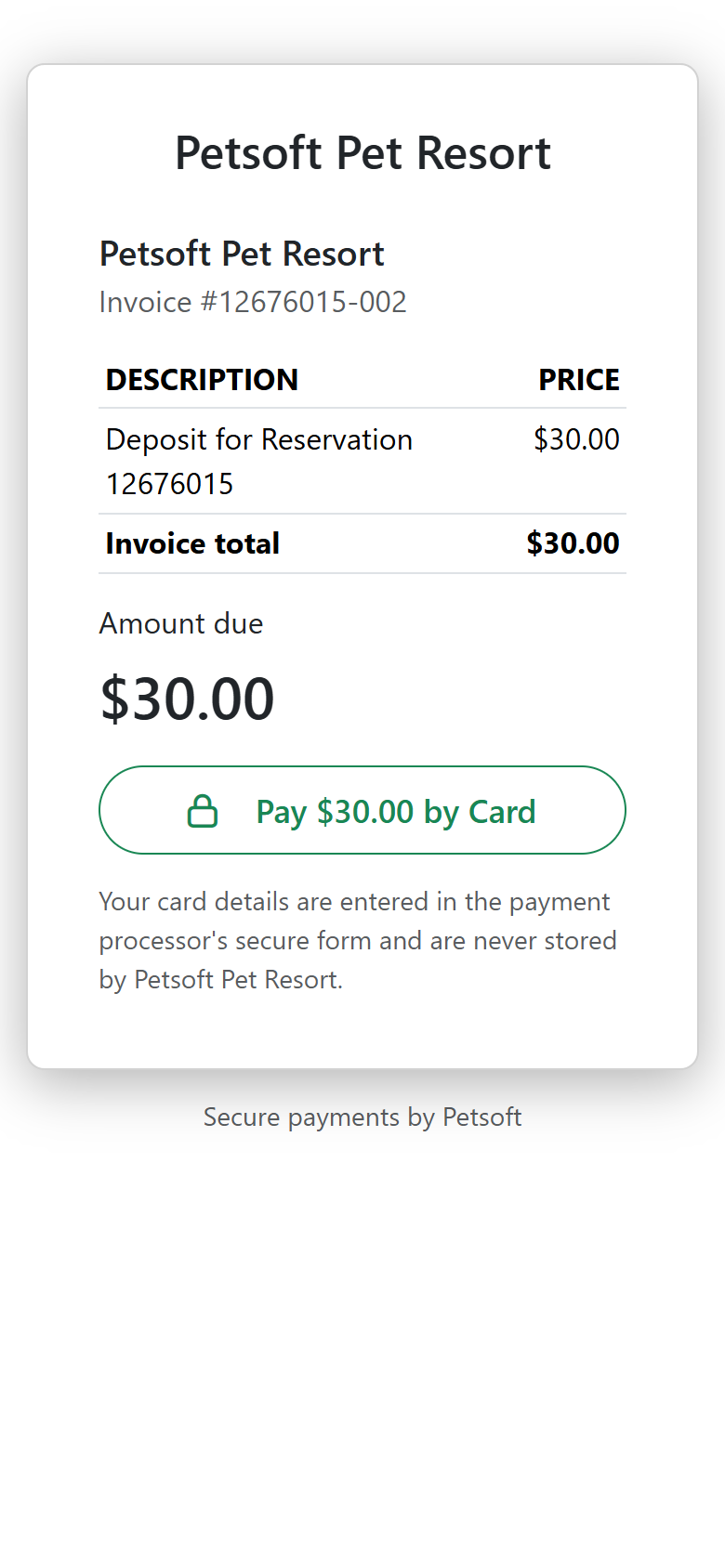
Get paid with a link or a QR code
Staff can send a secure payment link or show a QR code for any invoice or reservation deposit. Pet parents pay by card from their phone without signing in, so balances and deposits are collected before the pet ever arrives. Choose Request Payment on an invoice. Available to organizations that take payments through Petsoft.
Reserve a month of daycare in one go
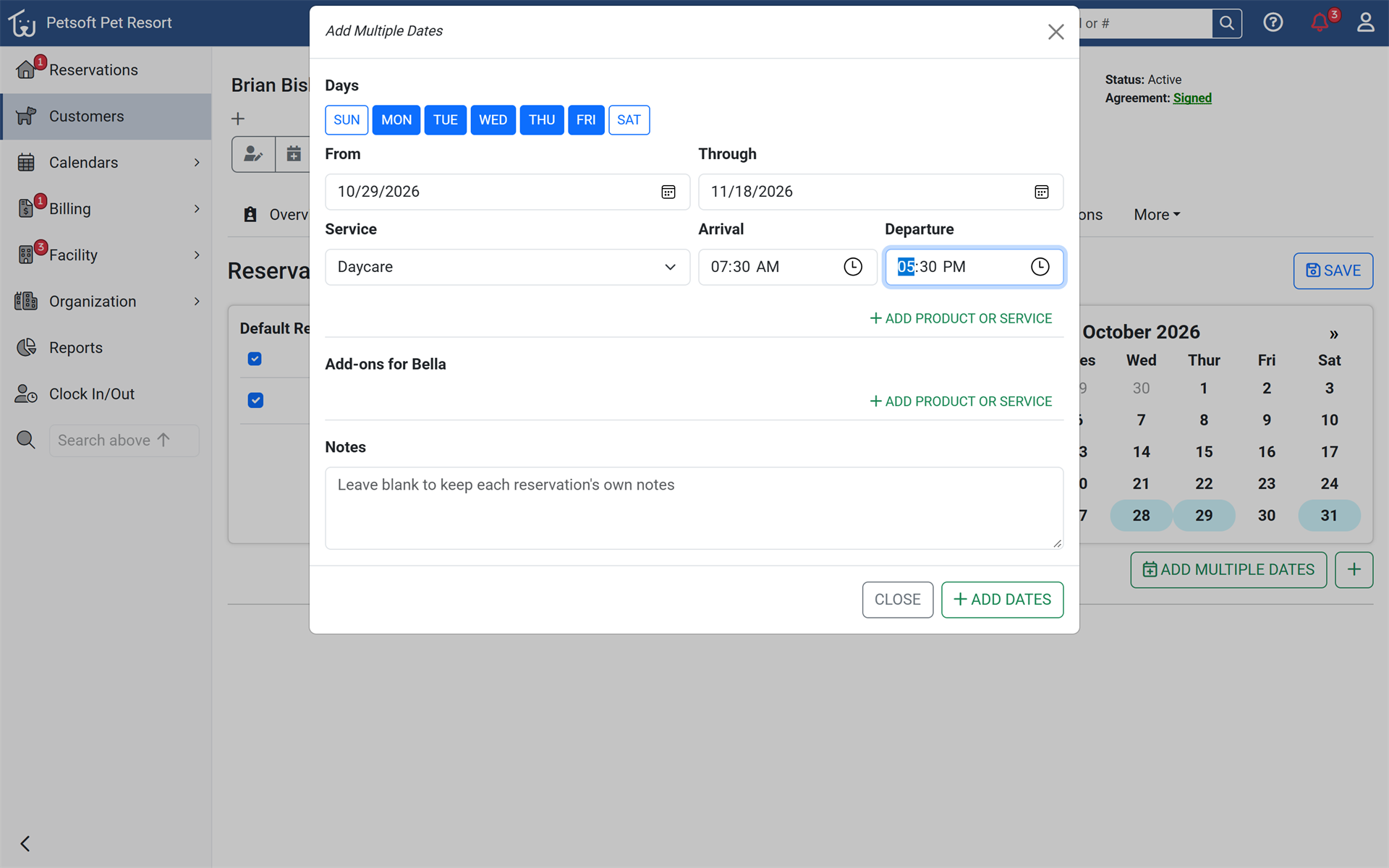
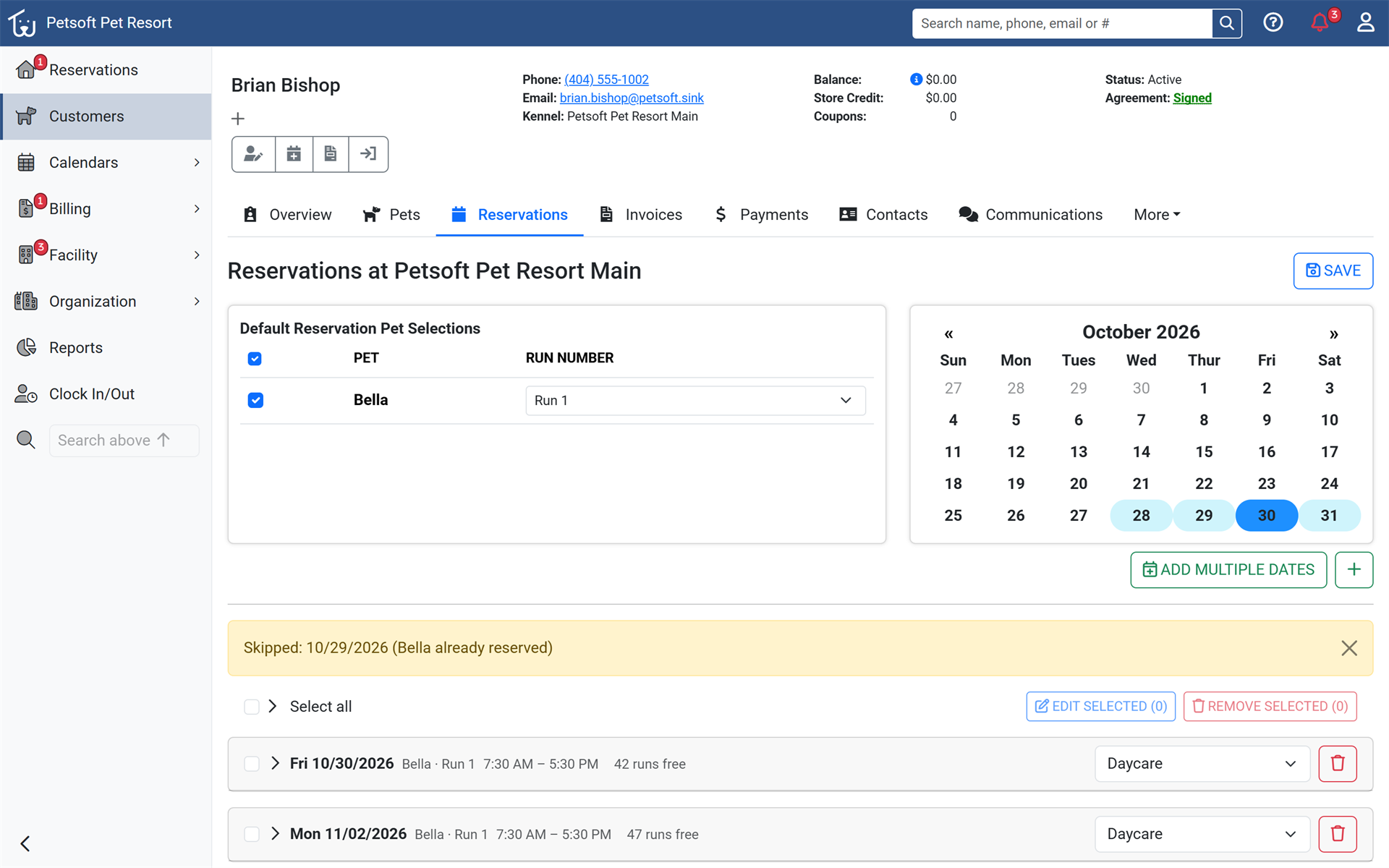
Staff can reserve a whole schedule of daycare days at once: pick the weekdays and a date range, then edit or remove several dates together. Each date shows its pets, times, and capacity, so a regular's month is set up in seconds. On New Reservation, choose a daycare service, then pick weekdays and a date range on the calendar.
Learn more about daycare availability
A Free plan that never expires
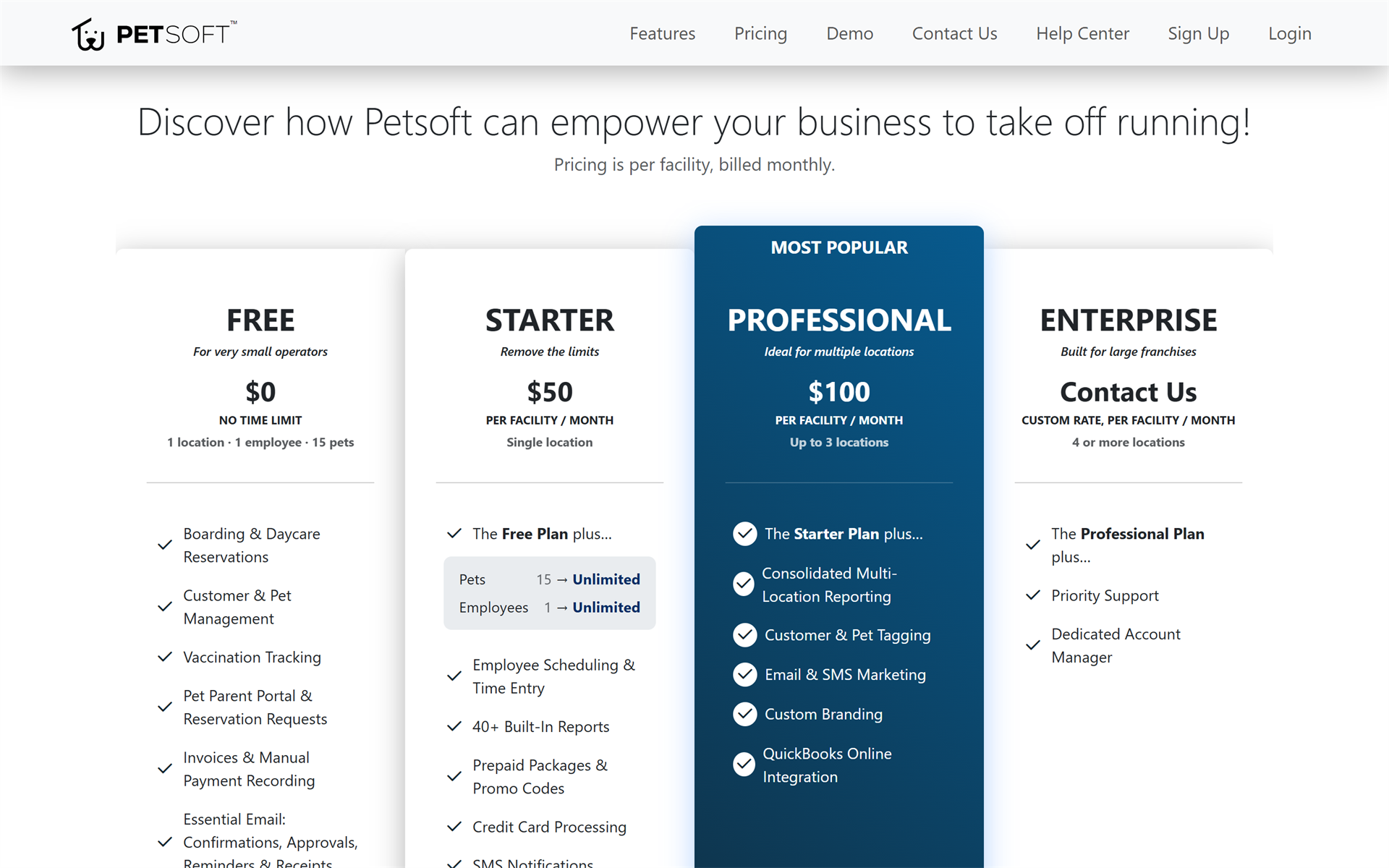
Small facilities can now run on Petsoft at no cost, with no expiration and no card required: one location, one employee, and 15 pets. Taking payments through Petsoft raises the limits to three employees and 50 pets. New facilities start on the Free plan, and existing facilities can change plans in Settings.
Learn more about the Free plan
Find anything from the search bar
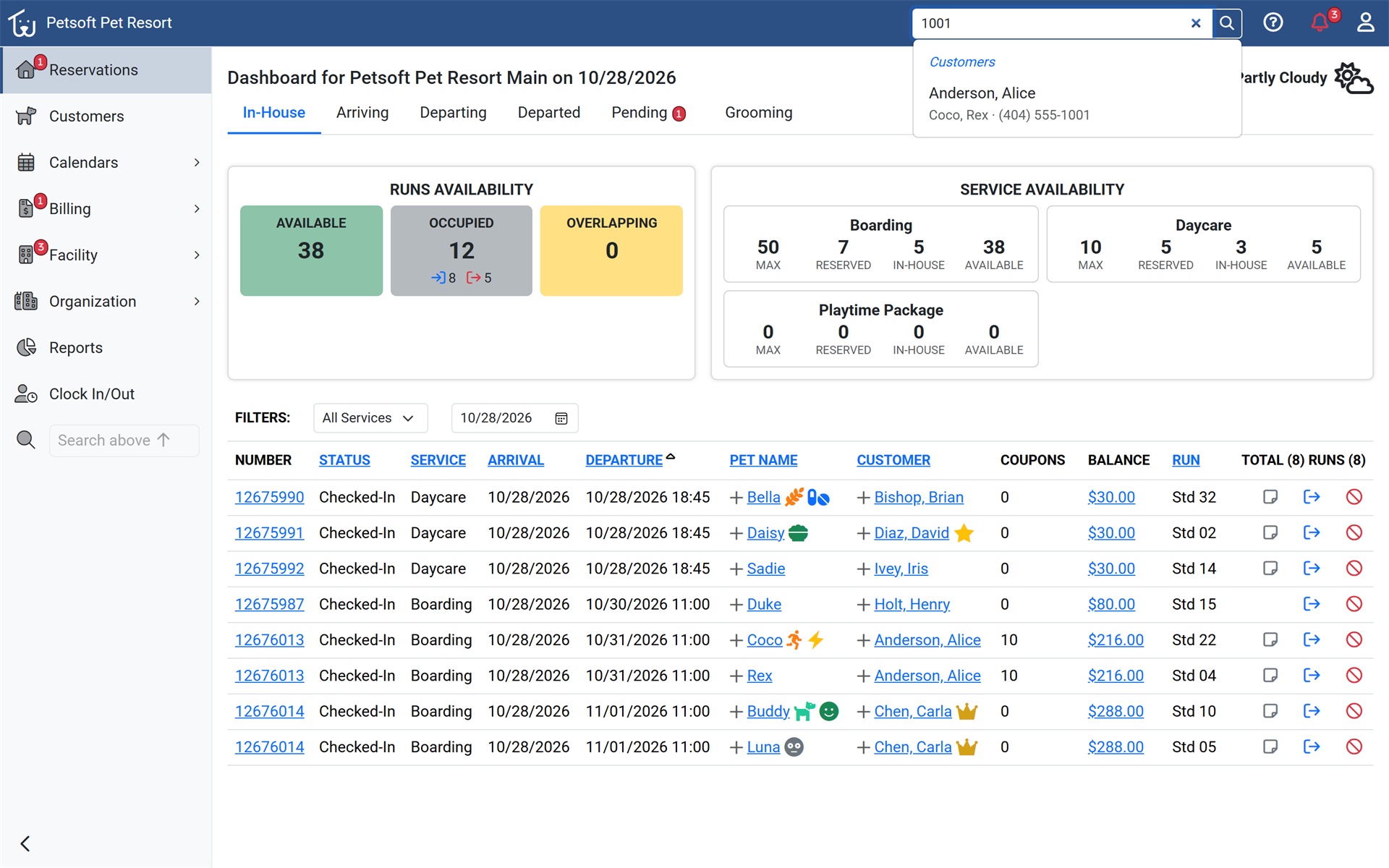
The search bar now finds reservations, invoices, employees, and training classes, and jumps straight to a reservation or invoice when its number is typed. Phone search matches the last four digits, so staff find the right customer in one step. Start typing in the search bar at the top of any Office Portal page.
Learn Petsoft with built-in tutorials
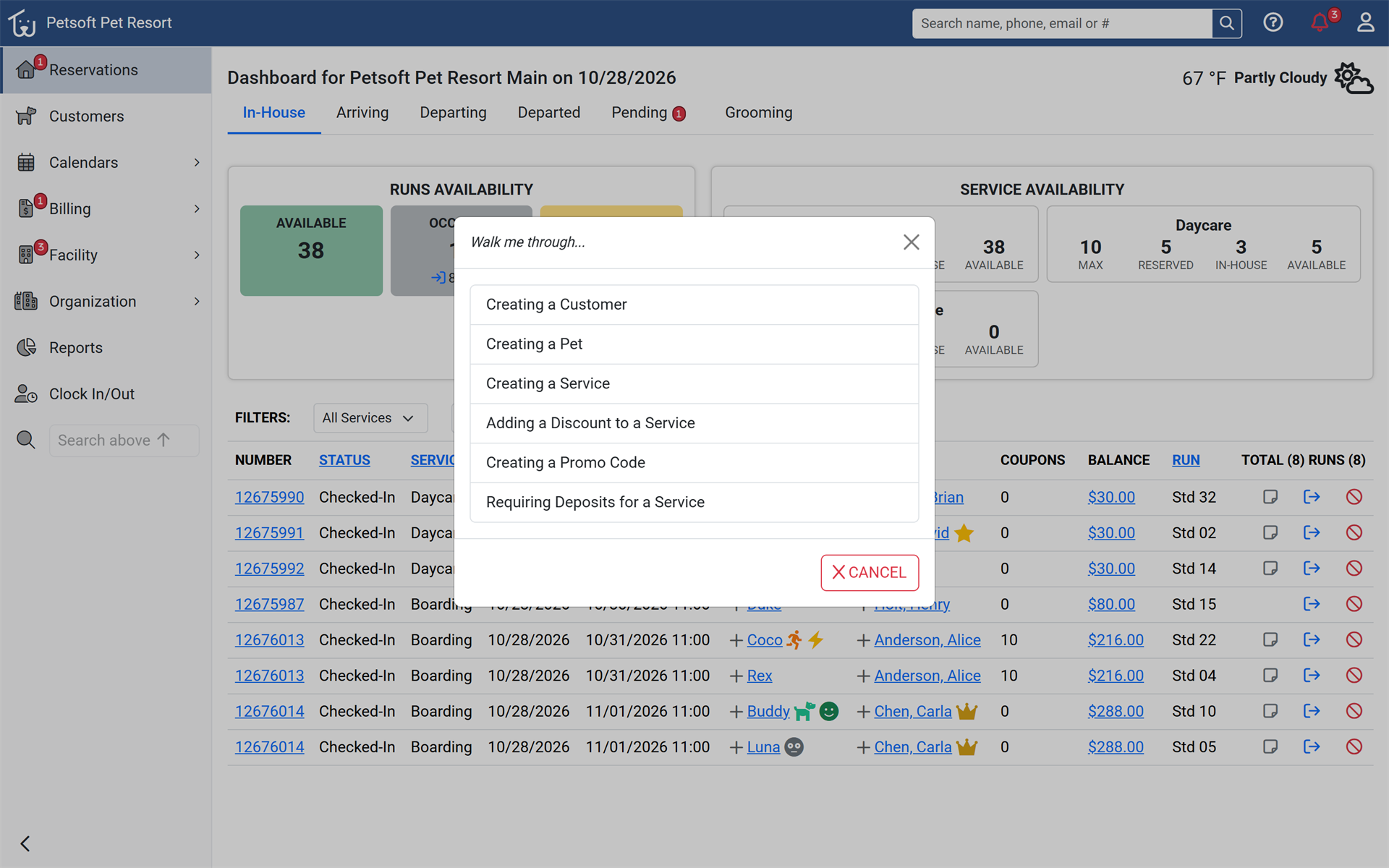
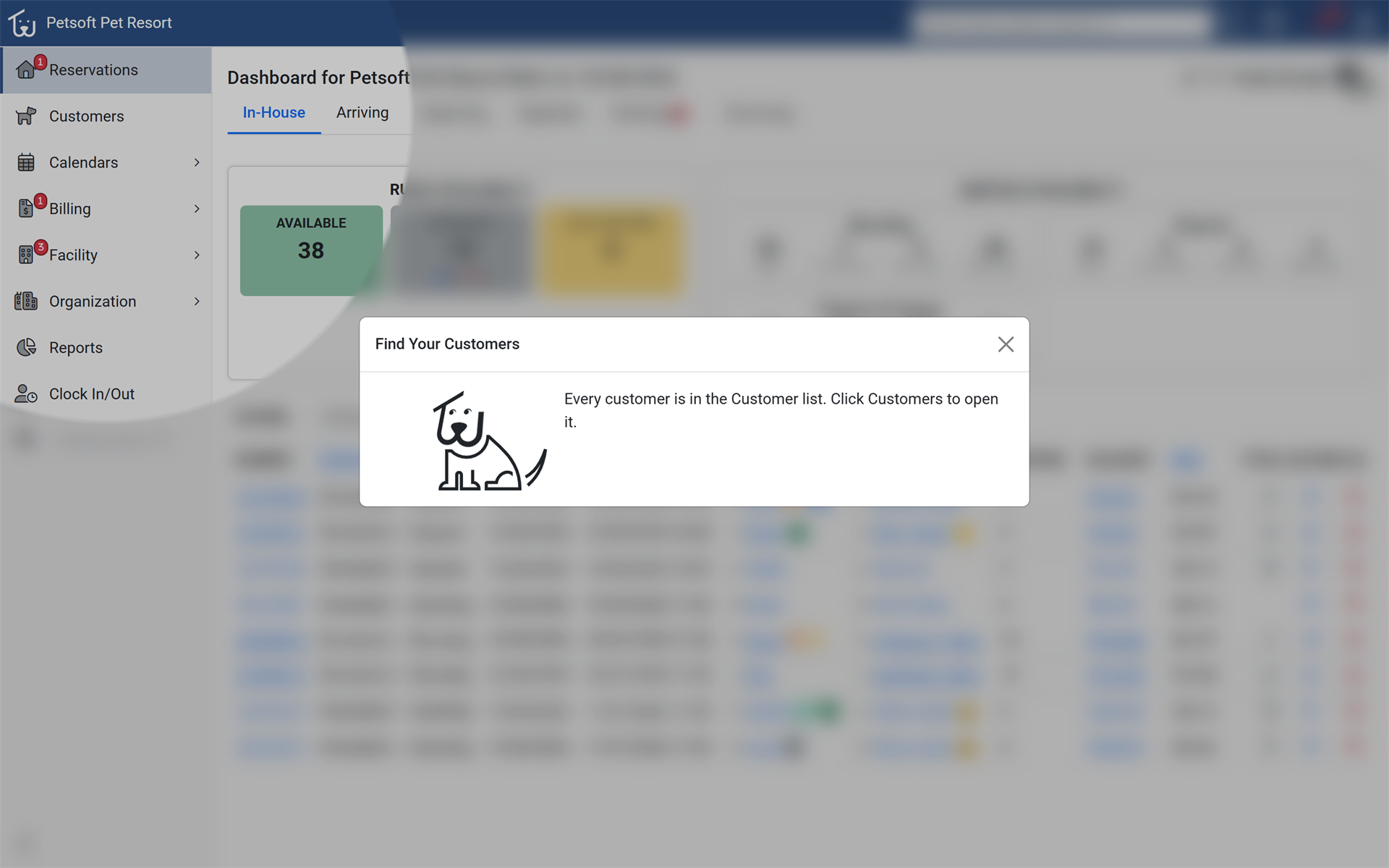
A new Tutorials menu in the Office and Pet Parent Portals walks people through common tasks one step at a time, on the screen they are using. New staff and pet parents learn Petsoft by doing, without a call to the front desk or support. Open the new Tutorials menu in the Office Portal or the Pet Parent Portal.
Start a text conversation with a customer
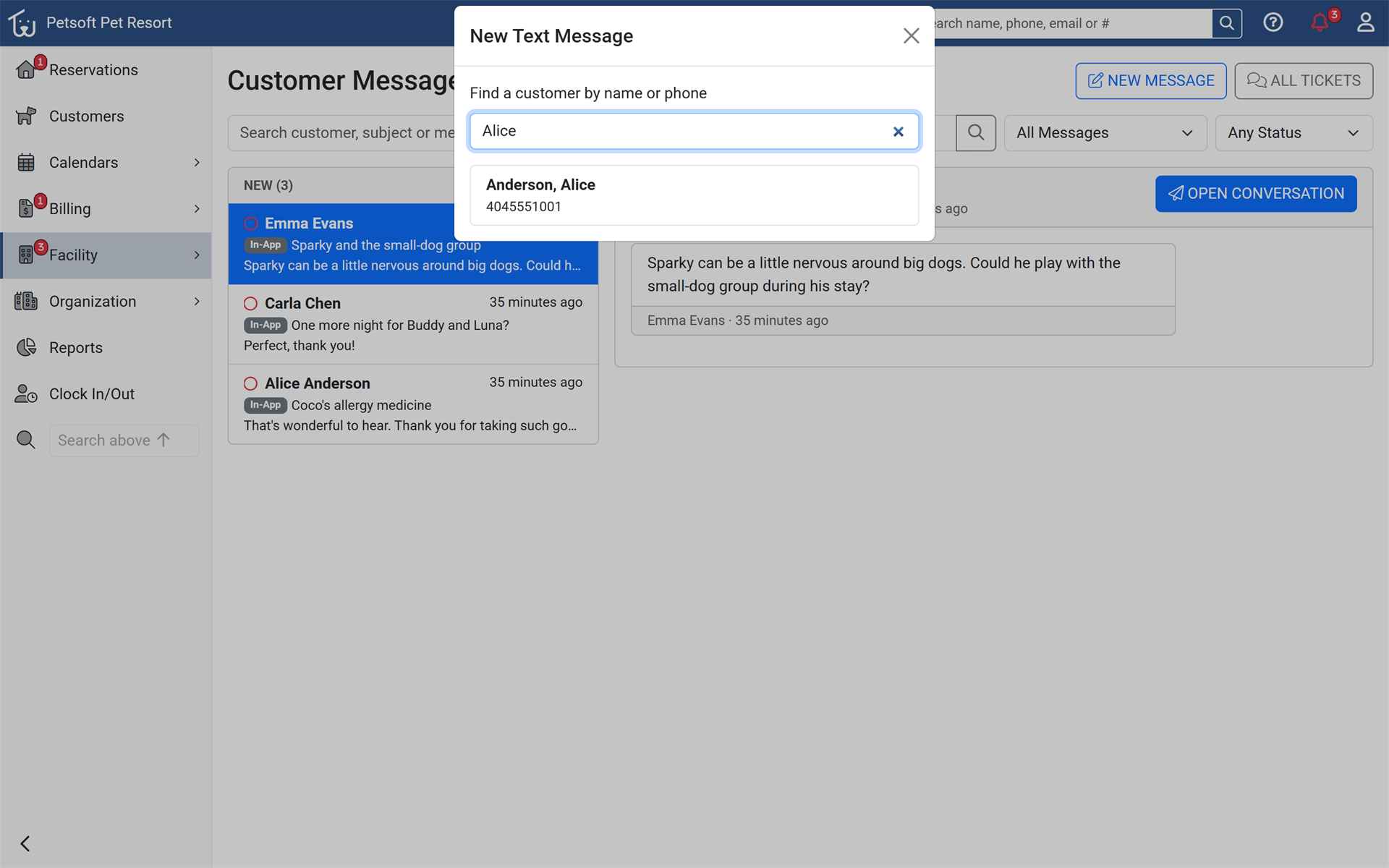
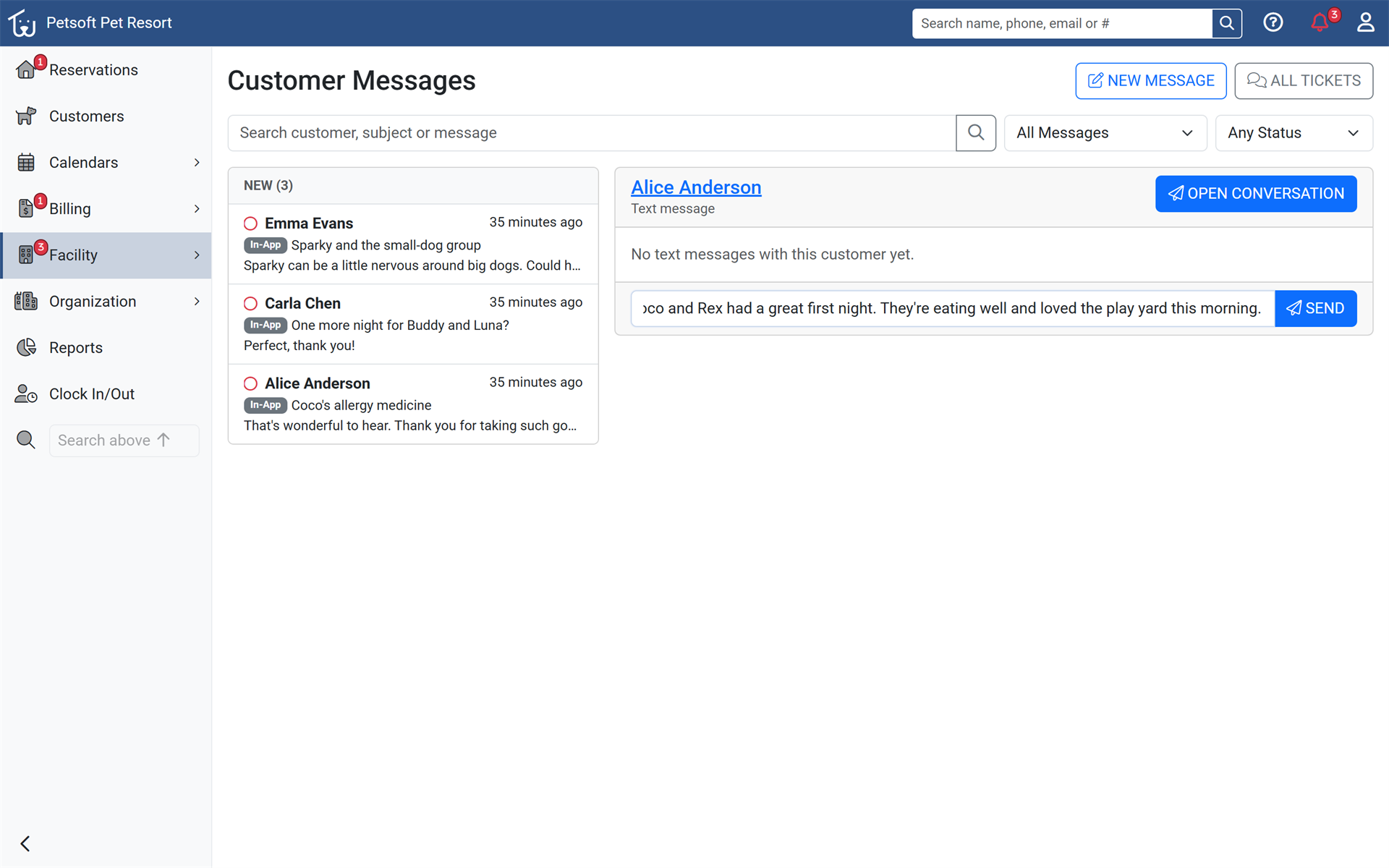
Staff can now start a text conversation with any customer who has opted in to texts, straight from Customer Messages. Facilities can reach out first with updates and follow-ups instead of waiting for the customer to text. In Customer Messages, choose New Message and pick a customer.
Every pet's notes where staff need them
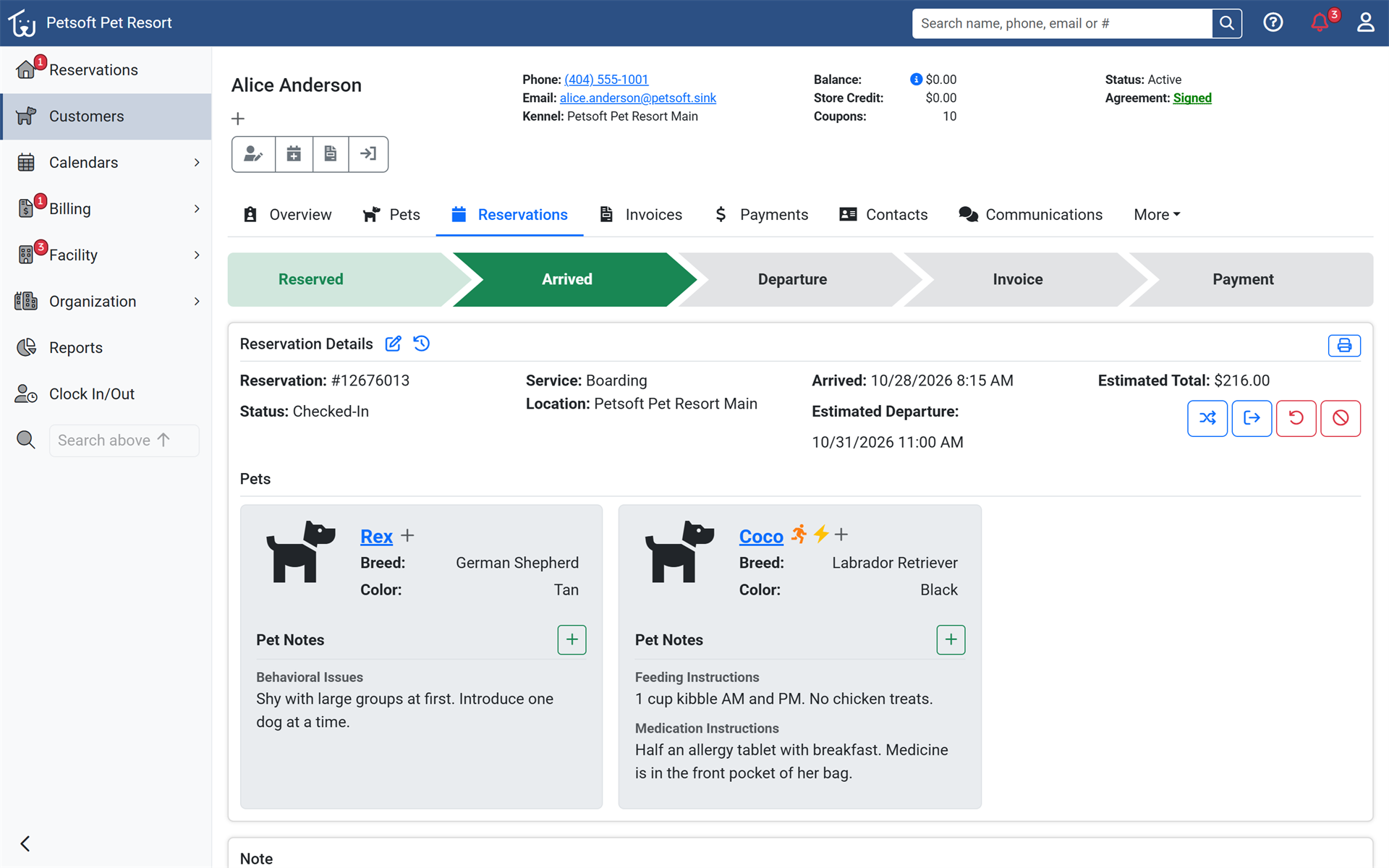
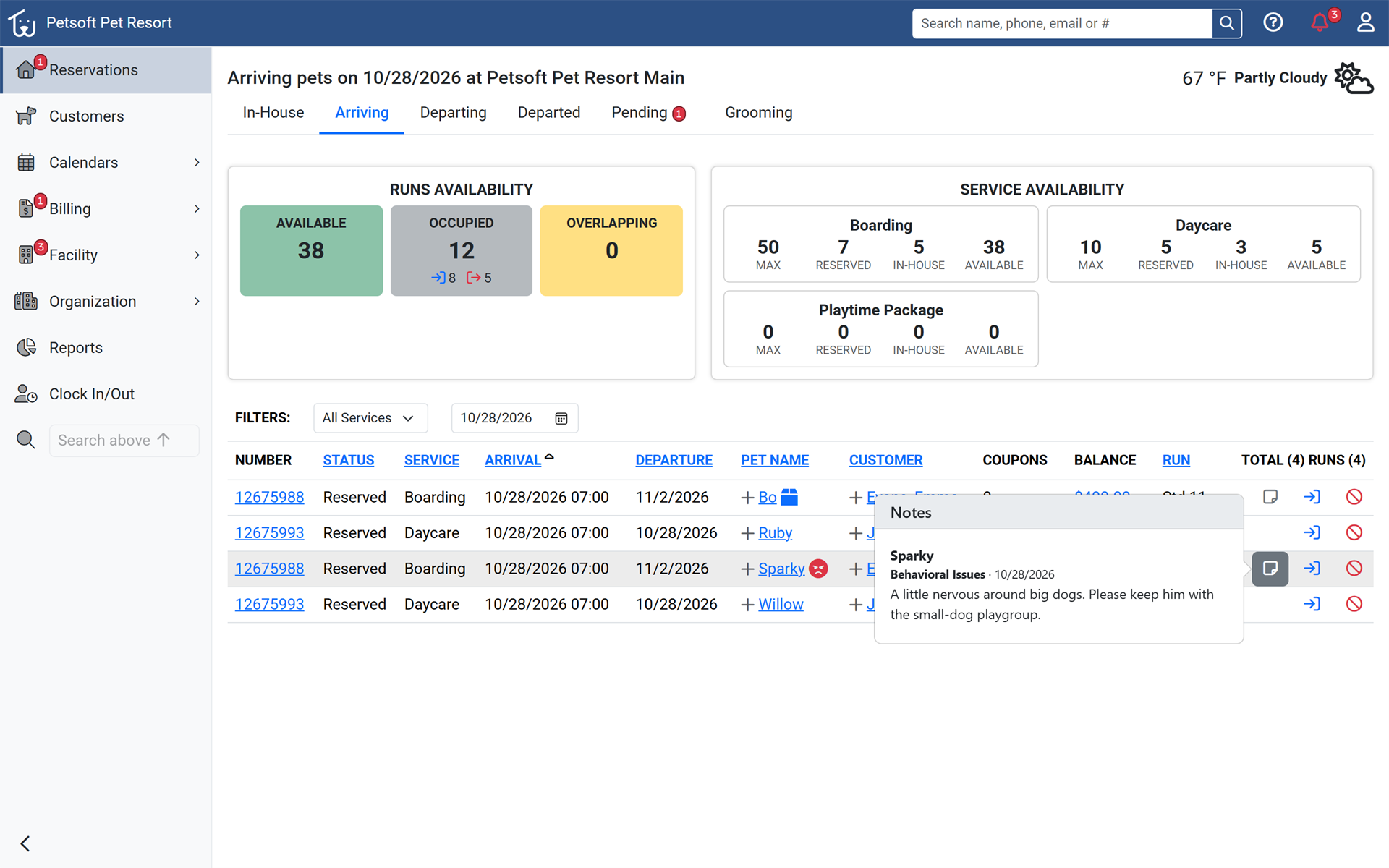
Reservation Details now shows a card for every pet with its photo, breed, color, and notes, all editable on the page. The Dashboard check-in window shows the same notes, so staff review grooming and care instructions at drop-off. Open any reservation, or use the notes button on the Dashboard's Arriving and In-House rows.
Who's due next, at a glance
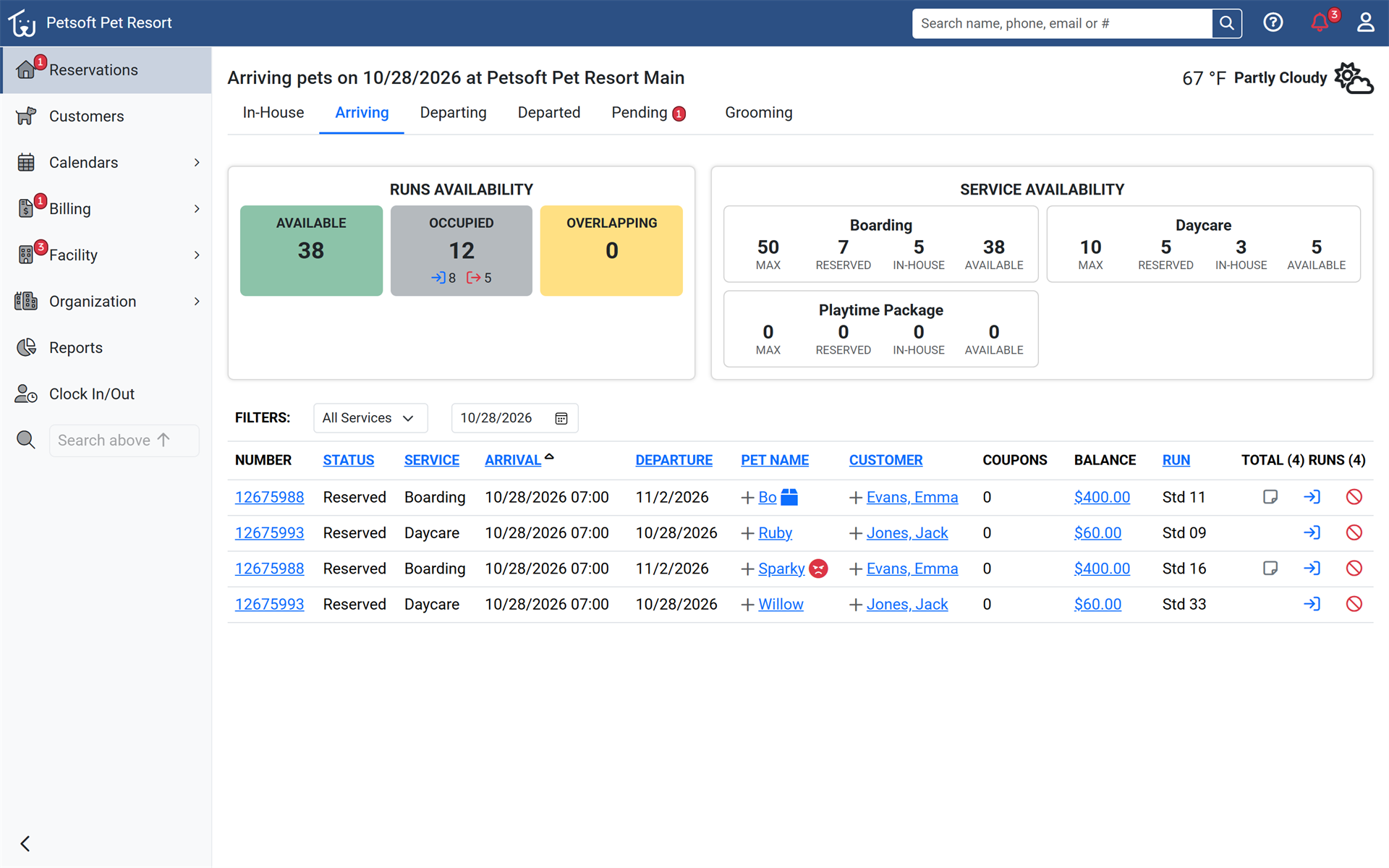
The Dashboard now shows each pet's arrival time on Arriving and departure time on In-House and Departing, sorted by time. Staff see who is due next at a glance, and each browser remembers its preferred sort. Open the Dashboard and switch between Arriving, In-House and Departing. After a check-in from Arriving, the Dashboard now opens In-House so the pet just checked in is in view.
Learn more about the Dashboard
Change due, calculated for you
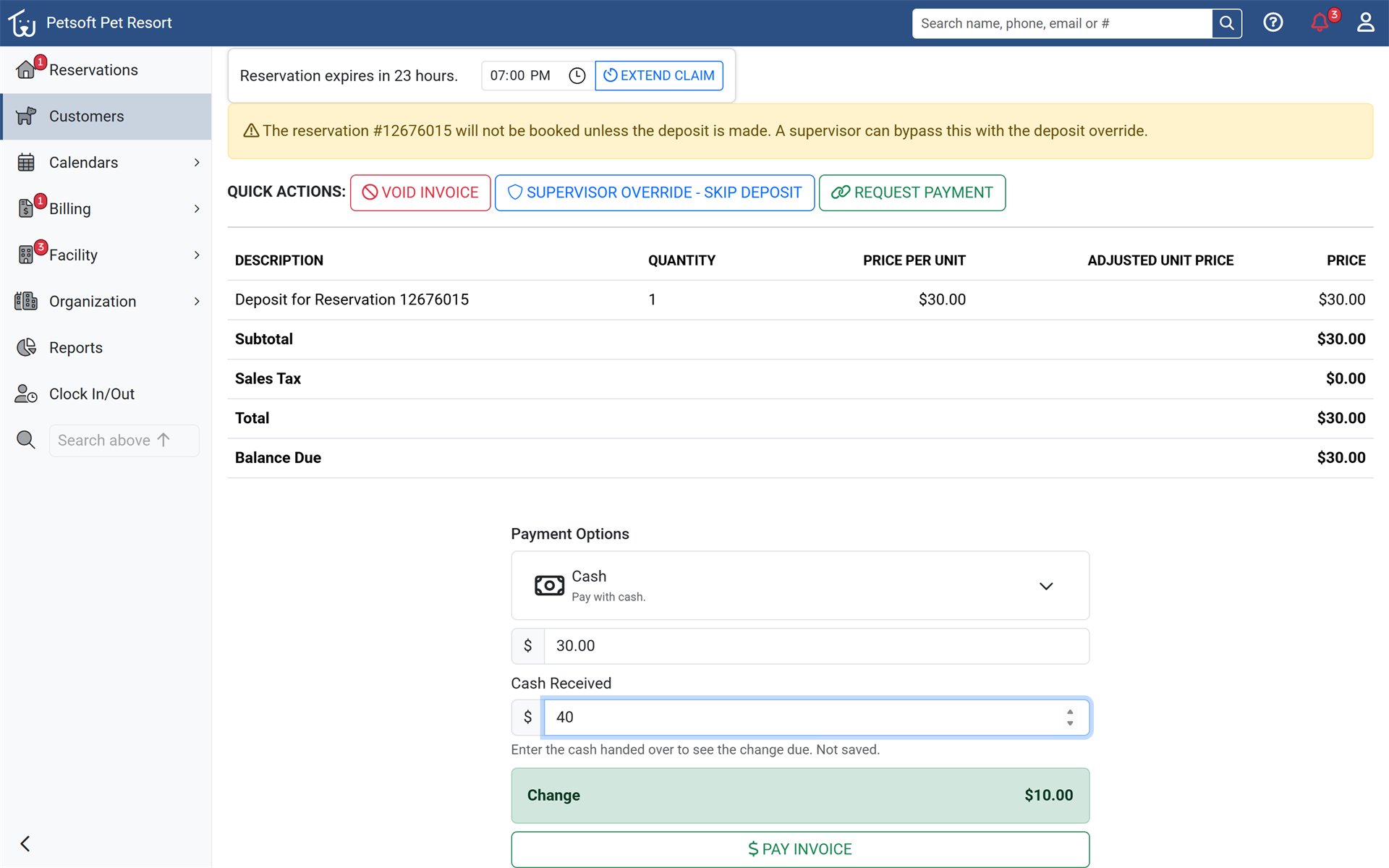
Taking a cash payment now asks how much cash was received and shows the change due, or how much is still short. Front desk staff hand back the right change without working it out by hand. Choose Cash when paying an invoice and enter the amount received.
Recognize every family in Customer Search
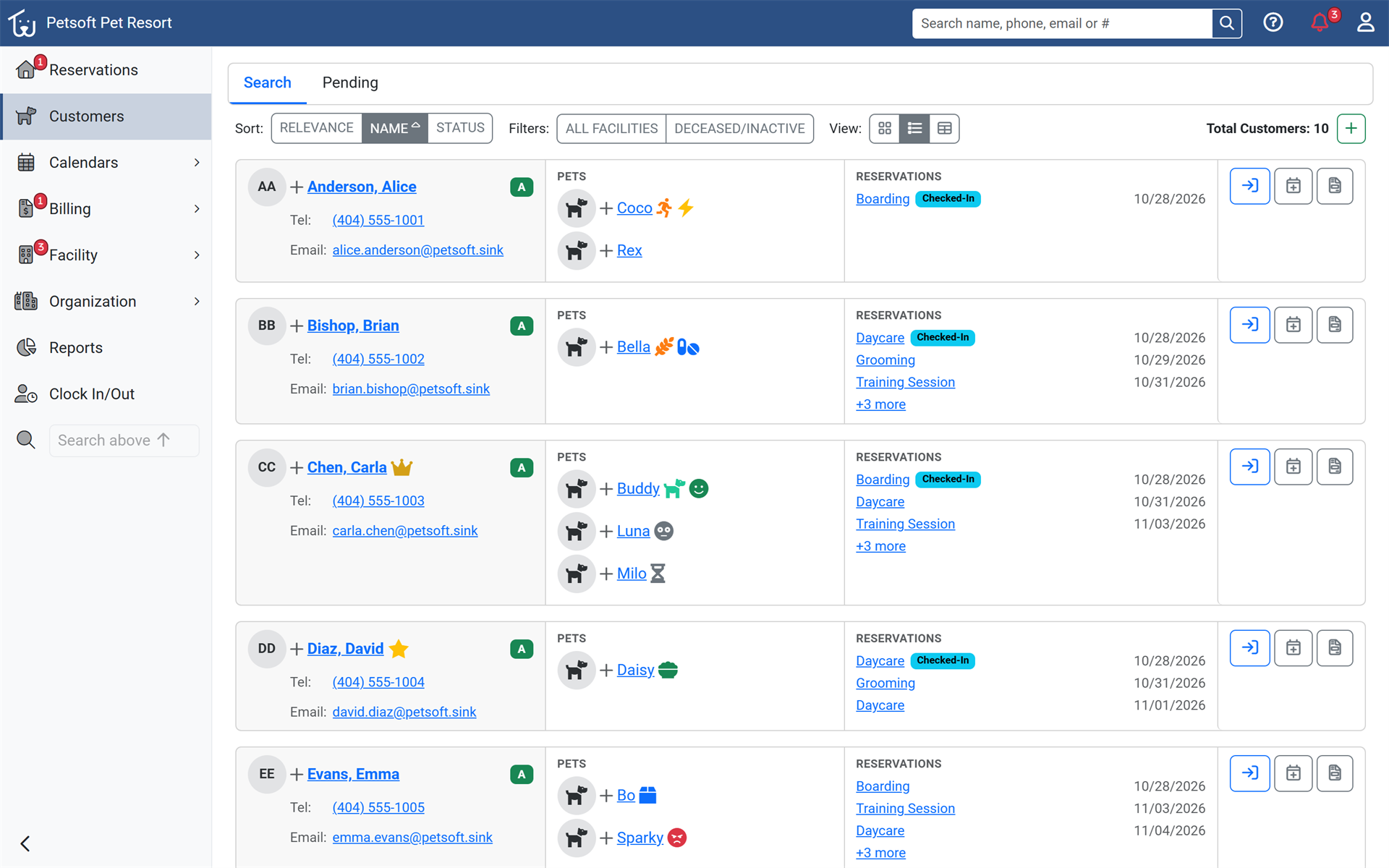
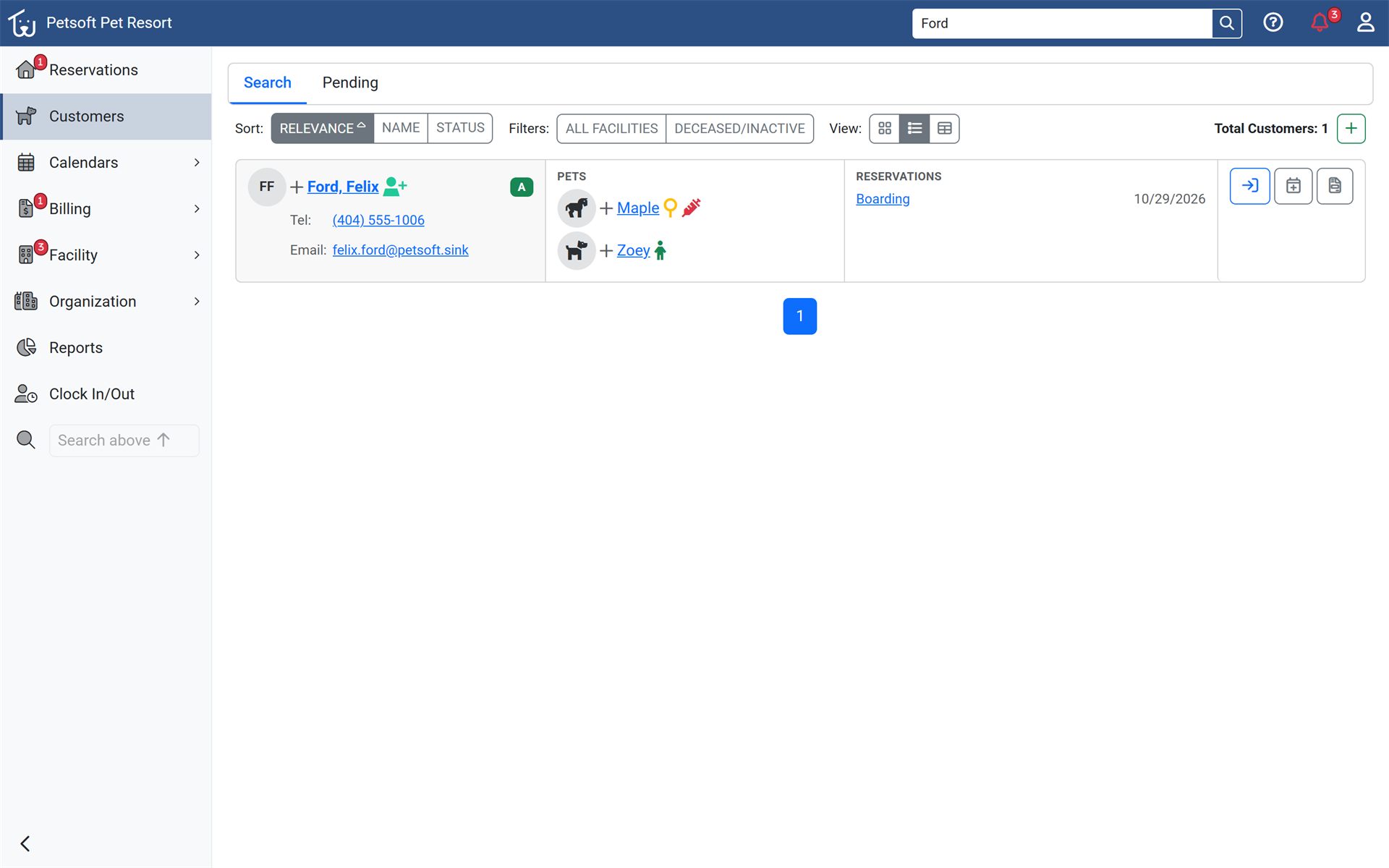
Customer Search results now show each customer's initials and a photo or species icon for every pet, with a Banned badge where it applies. Staff recognize the right family at a glance before opening the record. Search from Customers to see the new result cards.
Horses are welcome
Petsoft now supports horses as a pet type. Facilities that board or care for horses can turn them on during setup or in Settings, and pet parents and staff can then add horses alongside dogs and cats. Turn on horses during setup or in Organization Settings.
Show only the customer alerts you use
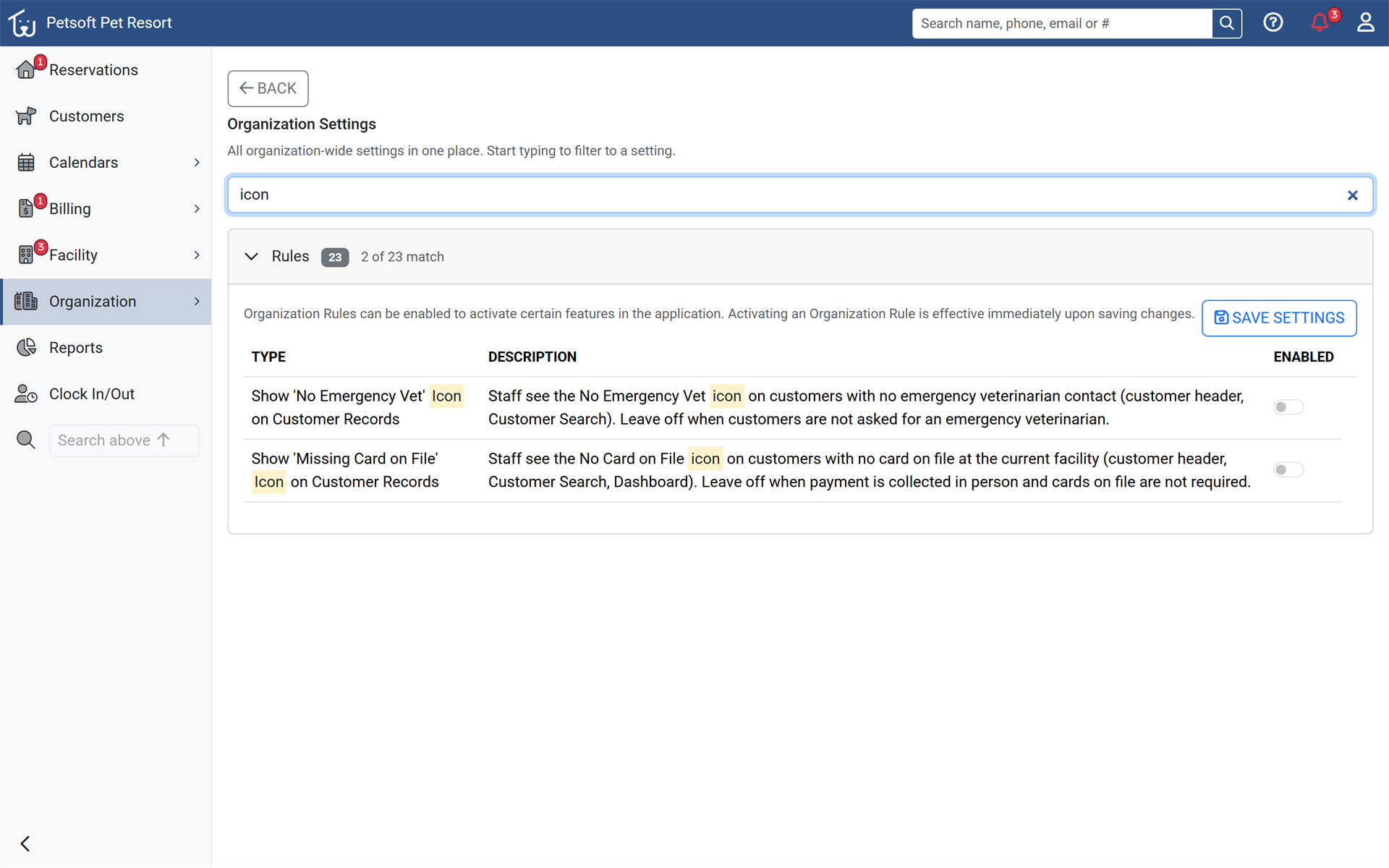
Facilities that don't collect cards on file or emergency vets can now hide those warning icons on customer records. Two new Organization Rules keep each screen focused on the alerts that matter to the business. Turn the icons on or off in Organization Settings > Rules.
More improvements
- If the invoice page reloads or loses contact with the card terminal during a payment, staff now see whether the earlier payment went through before another can be taken, so a card is never charged twice.
- The customer page now shows its main tabs on one row, with History, Cards, Coupons, Rates, Portal and Notification Settings under a More menu. Tab bars across the Office Portal now underline the current tab.
- New pets added in the Office Portal now default to Active for organizations that do not require trial reservations, and to Pending Trial for organizations that do.
- Reservations can no longer be checked in or out while a pet on them is inactive, and deactivating a pet now offers to remove it from upcoming reservations.
- Pet photos that cannot be loaded now show the pet-type icon instead of a broken image, and a new pet whose save fails shows a retry message without leaving a duplicate pet behind.
- The organization setup wizard now offers one-click Runs, Rooms, Suites and Condos options for naming boarding spaces, and works better on phones: the step list collapses to the current step.
- Added a Submit Feedback option to the Help menu so staff can tell us which features they want to see in Petsoft.
- Exact pricing, deposit and reservation rules in the Help Center are now shown to employees signed in to Petsoft, alongside the how-to that everyone sees.
- QuickBooks Online: pausing a facility now stops new activity from being queued, a disconnected facility shows as Paused with a Reauthorize button, a mapped account that needs attention holds only invoices, payments and refunds while customers keep syncing, and changing a customer's email updates the matching QuickBooks customer.
- Replies to website contact and demo requests now go directly to the person who sent the request.
- The petsoft.com website shows current screenshots, and the pricing and feature pages explain that SMS is billed by usage on the monthly invoice.
Fixes
- Fixed reservation Edit page issues: overlapping late departures and part-paid cancellations are now refused with a message, and removed days and House Food bill correctly.
- Fixed same-day appointments disappearing from the Pet Parent Portal in the evening, and prices and the reservation date shifting to the next day for evening work in some time zones.
- Fixed full card refunds made on the same day being credited instead of voided in some time zones.
- Fixed a card terminal payment made with a phone or watch wallet showing an error after the card was charged.
- Fixed clicking Post Invoice on an invoice that was already posted showing an error page instead of the invoice.
- Fixed invoice and payment links to a record outside the current customer showing an error page; they now return to the customer's invoice or payment list.
- Fixed reactivating a Petsoft account charging for facilities that were not kept, and retrying a declined plan change not applying the new plan. Only the account owner can now change the subscription card or trigger a charge.
- Fixed Office Portal pages, including the Pending reservations list, occasionally failing to load while reservations were being saved.
- Fixed pet names containing angle brackets showing incorrectly in reservation conflict messages.
- Fixed the rate level fields on the setup wizard's rates step showing squared-off corners.
Security and reliability
- Strengthened security across the Office Portal, Pet Parent Portal and mobile app: every request is limited to records that belong to your organization or to the signed-in pet parent, employee and password changes are limited to your own organization, saved sign-ins expire after one year, and the saved email (SMTP) password is no longer shown on the email settings page.
- Employees now see only the reports their security groups allow, even when opening a report's link directly.
- Pet photos and detailed status pages now require sign-in, and signing out or deleting an account ends its saved sessions.
- Webhook and Google Ads conversion settings are now checked when saved, and webhooks go only to public https addresses.
- Protection against suspicious repeated requests now blocks the address a request actually came from, so it cannot be bypassed or aimed at another user.
- The Privacy Policy and Terms of Service now describe how Petsoft handles visitor, campaign and email-tracking data, each acceptance is recorded with its version, and visitor data kept for marketing campaign tracking is reduced and deleted after a fixed period.
- Improved reliability during busy periods: card entry pages, receipt printing and sign-up load more dependably, notification badge counts are cached and calculated faster, and the Daycare Availability page and the Dashboard load faster.
Still stuck?
Our team is happy to help. Reach out and we'll get you back on track.
Not a Petsoft customer yet?
These are the same guides our customers use. Prices are on our site, and the demo is a working account with sample pets and bookings already in it.